
Change your name and photo
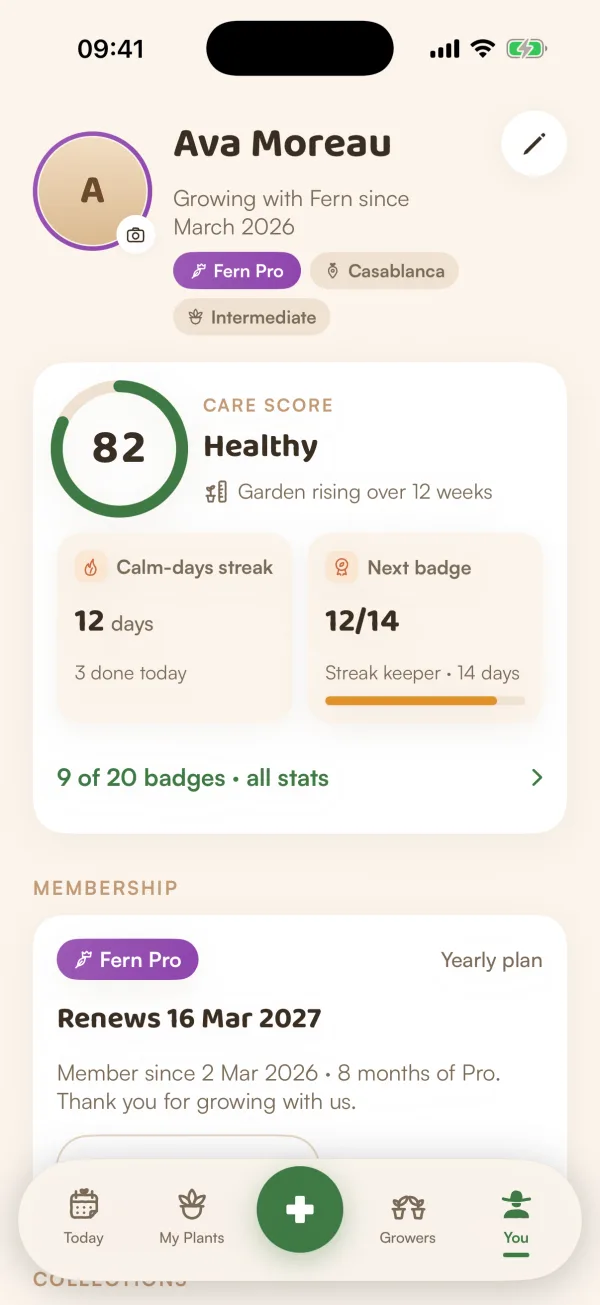
Change the name and photo Fern shows on You, in your greeting and to the people you share a home with. Your email comes from your Apple or Google sign-in.
On this page
Your name and photo are how Fern greets you and how the people in your home know who did what. You can change both whenever you like, from the You tab.
Change your name or photo
- Open You.
- Tap the pencil next to your name, or Edit profile ("Photo and name") under Account.
- Tap the photo to pick a new one from your library.
- Type your name under NAME.
- Tap Save changes.
Fern saves them and takes you back to You, where the new name and photo show at the top.
To change only your photo, tap the photo at the top of You and pick one. It uploads straight away. If it doesn't, Fern says "Your photo didn’t upload — try again".
Where your name and photo show
- Today greets you by name.
- People you share a home with see your name and photo.
- On Growers, you have a separate profile with its own photo, display name and handle. Changing your Fern name doesn't change it. See Your Growers profile and settings.
When Fern asks for your name
If Fern doesn't know your name yet, for example because you didn't share it when you signed in with Apple, or you started as a guest, Today shows a card: "What should Fern call you?", with "Your first name, for your greeting and the people you share plants with." Type it and tap Save, or tap ✕ to leave it for now.
Your email
Edit profile shows your email under EMAIL. Fern has no passwords: the address comes with your Apple or Google sign-in, so you can't edit it in Fern. If you're using Fern as a guest, it says "Not saved yet" until you save your garden. See Save your garden.
What if…
What if Save changes is greyed out?
The name is empty. Type at least one letter, then tap Save changes.
Where did units and experience go?
They have their own row: You › Preferences › Units & experience. See Appearance, language and units.
Who sees my email?
Growers never shows it. People in your home see your name and photo, not your email.