
Choose your notifications
Turn each kind of notification on or off, set quiet hours and mute a shared home, all from You › Notifications.
On this page
Fern can tell you about a lot: plants that need water, a heatwave on the way, someone in your home asking for help. You choose which of these reach you, and when. For when care reminders arrive during the day, see Morning reminders.
Open your notification settings
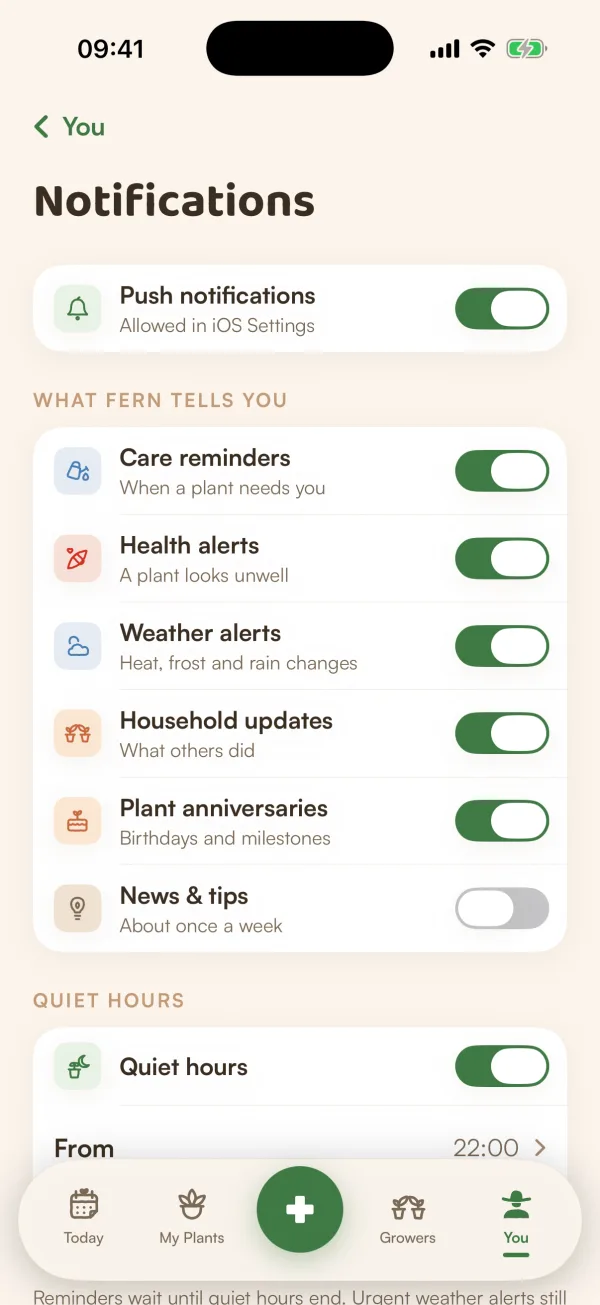
Open You and tap Notifications under Care. The row tells you where things stand: "On", "On · quiet 22—07" with quiet hours, or "Off". When iOS isn't letting Fern notify you, it says "Off in iOS Settings" or "Not set up" instead.
The main switch
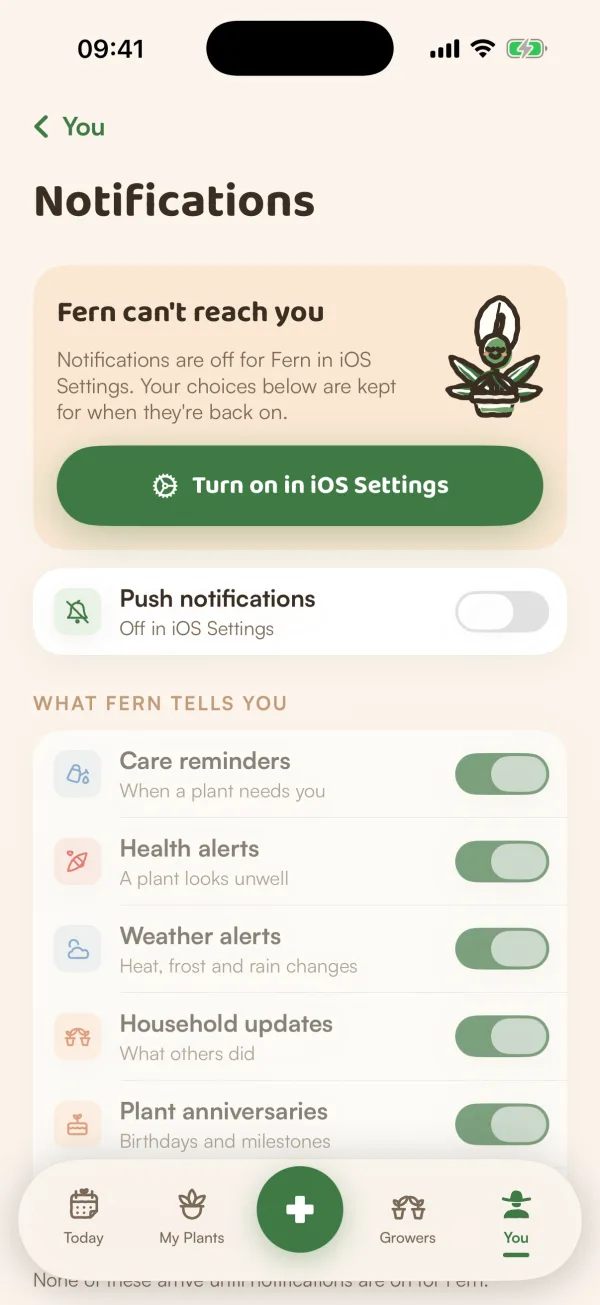
Push notifications at the top turns everything off or on at once. When it's off, the choices below are dimmed and nothing arrives.
If iOS has notifications turned off for Fern, a card says "Fern can't reach you", and the switch stays off whatever you choose. Tap Turn on notifications (Fern asks iOS for permission) or Turn on in iOS Settings (it opens Fern's page in iOS Settings). "Your choices below are kept for when they're back on."
What Fern tells you
| Switch | What it's for |
|---|---|
| Care reminders | When a plant needs you. |
| Health alerts | A plant looks unwell. |
| Weather alerts | Heat, frost and rain changes. |
| Household updates | What others in your home did. |
| Asks from your home | When someone asks for your help, and their answers. |
| Plant anniversaries | Birthdays and milestones. |
| Community | Comments, answers, Helpful and follows on Growers. |
| News & tips | About once a week. |
Each switch saves as soon as you tap it. If it can't, Fern says "That didn’t save — try again in a moment." and puts the switch back.
Quiet hours
- Turn on Quiet hours.
- Set From and To, in half hours.
Fern holds anything that would arrive during quiet hours and sends it when they finish.
Mute a shared home
If you belong to a home, Per household lists it with "All updates" or "Muted". Turn on Mute Flat 4B to silence everything from that home, including care reminders for its plants. Your own plants and other homes carry on as before.
You can do the same from the home itself: Home settings › Notifications from this home.
To stop reminders for one plant only, pause it instead. See Pause a plant's reminders.
Tips
- Keep Care reminders on even if you turn off the rest. It's the one that keeps your plants watered.
- In a shared home, "Everyone sees their reminders until someone claims them." See Share the care.
What if…
What if the switches are greyed out?
Either Push notifications is off, or iOS isn't letting Fern notify you. In that case Fern says "None of these arrive until notifications are on for Fern." Turn notifications on first; the choices you made are kept.
What if reminders still don't come?
Go through Reminders aren't arriving. It covers iOS settings, quiet hours, muted homes, paused and resting plants, and away mode.