
Do a Care Round
A Care Round walks you through the plants that need you, one at a time, so you can do the whole garden in one go without missing any.
When several plants need you, going back and forth on the list gets fiddly. A Care Round lines them up for you: one plant per screen, in the order you'll walk past them, with the right question for each. At the end you get a short recap.
Start a Care Round
On Today, depending on how much is waiting:
- With four or more things to do, tap Start Care Round on the Care Round card. It shows how many things there are and roughly how long they'll take: "Care Round · 4 things, ~3 min · starting in Living room".
- With two or three, tap Walk through them as a Care Round under the list.
- When Fern wants a few soil checks, tap the soil checks before watering card.
If you belong to more than one home, Fern first asks "Where do you want to care today?". Choose All households, or the home you're in, then Start care round. Fern only includes plants from the home you choose.
Go through it
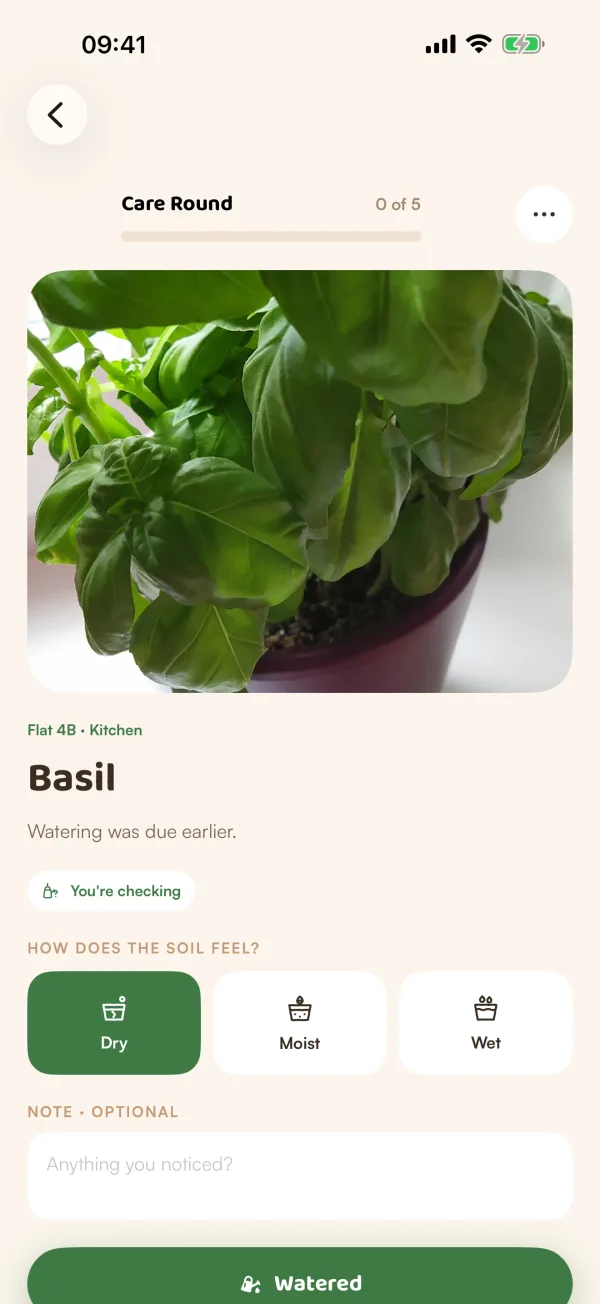
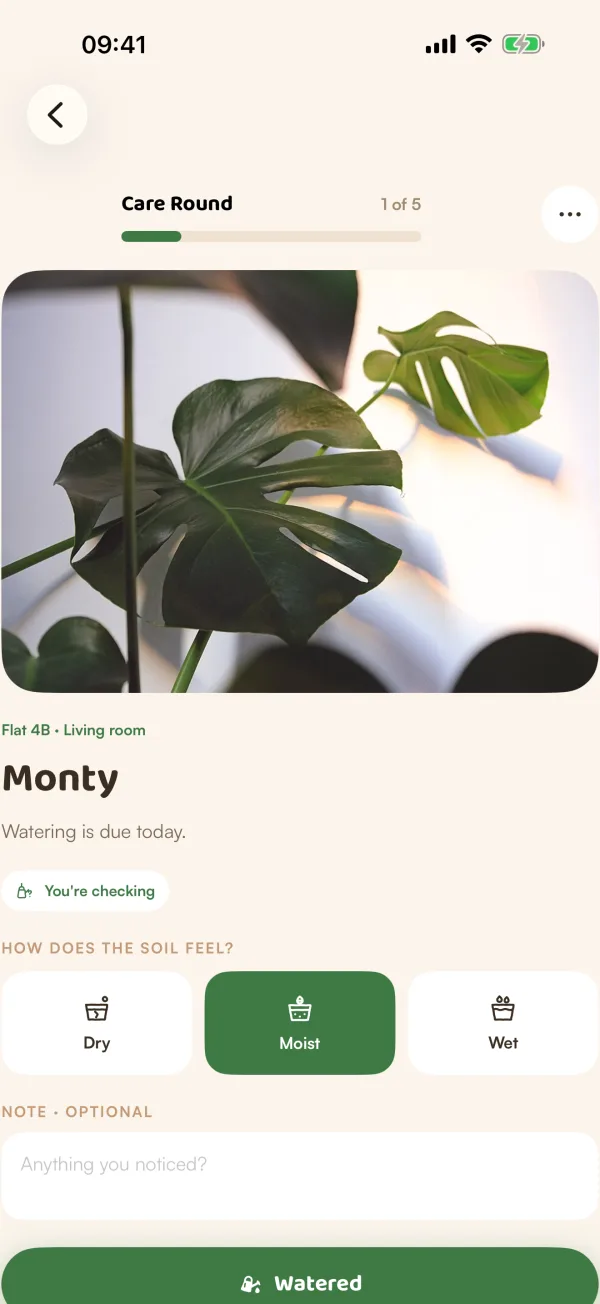
Each plant gets its own screen: its photo, where it lives ("Flat 4B · Kitchen"), its name, and why it's on the round, such as "Watering was due earlier."
For watering and soil checks:
- Feel the soil and tap Dry, Moist or Wet under "How does the soil feel?". It's optional, but it's how Fern learns.
- Add a note if you noticed something ("Anything you noticed?").
- Tap Watered, Safely wait or Skip.
For other care (feeding, misting, pruning…), tap the done button, such as Fertilize — done, or Skip.
A green banner confirms each answer ("Watered safely", "Safe to wait — no unnecessary watering", "Skipped — moving on") and the next plant slides in. The bar at the top shows how far you are: "2 of 5".
Finish
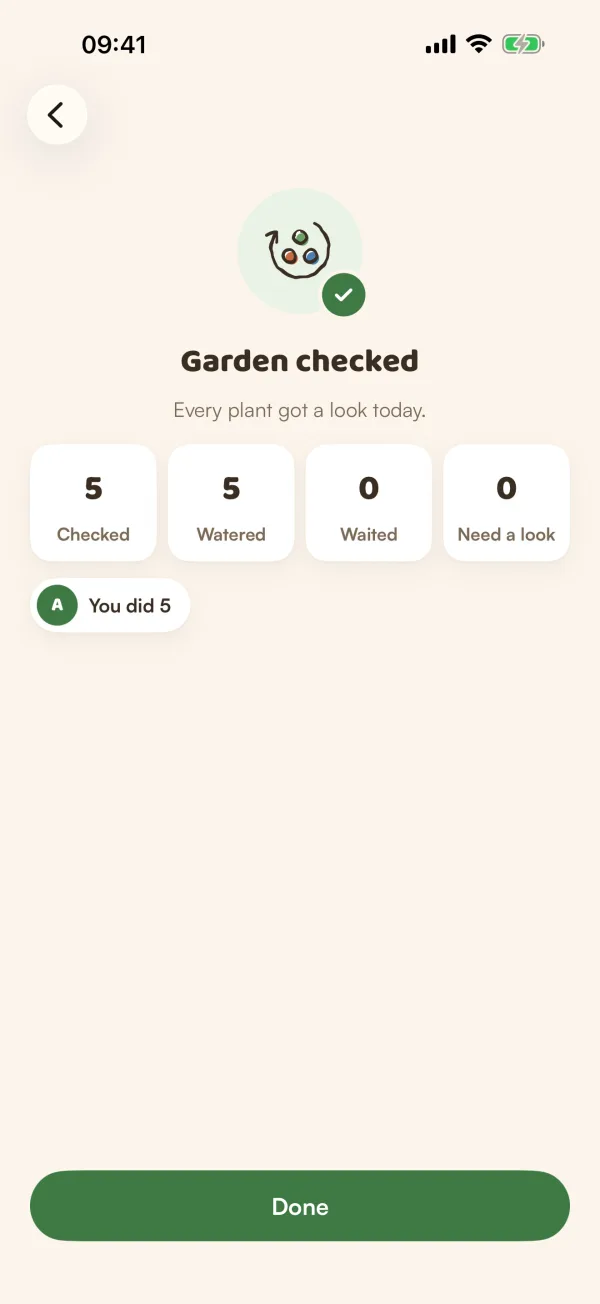
After the last plant you see Garden checked: how many plants you checked, watered and let wait, and how many still "Need a look". When someone else in your home helped, it also shows who did what, such as "Ava did 9" and "Sam did 4". Tap Done.
Stop halfway
Tap ••• at the top for:
- Pause — finish later. "Pausing keeps your place. You only ever have one round going." Next time you start a round, Fern picks up where you stopped.
- Start over with today's list.
- End this round.
- Keep going.
If you just swipe back, the round stays open and reopens next time.
Caring together
When two people in a home start a round at the same time, Fern makes sure you don't both water the same plant. A plant one of you has open says "You're checking" or "Sam is checking". If you try to open it anyway, Fern asks before you take over.
Tips
- Head to the room the card names ("starting in Living room") before you tap Start: that's where the first plant is.
- Saying Moist and Safely wait is never wrong when you're unsure. It's how Fern learns how fast each plant really drinks.
- Care Rounds are free, for every plant you look after.
What if…
What if I finished a round and want to do another?
Start one again from Today. The recap of a second round says "Another round today. Everything still looks good."
What if the round says "No care needed"?
Your garden is caught up. Nothing is due and no soil checks are waiting.
What if I see "Care wasn't sent"?
Your phone lost its connection. Tap Retry, or Later to keep going and send it when you're back online.