
Share a story
A story is a photo, or a few words on colour, that stays on Growers for 24 hours. Add text, stickers, a drawing, a poll or a quiz, and choose who can see it.
On this page
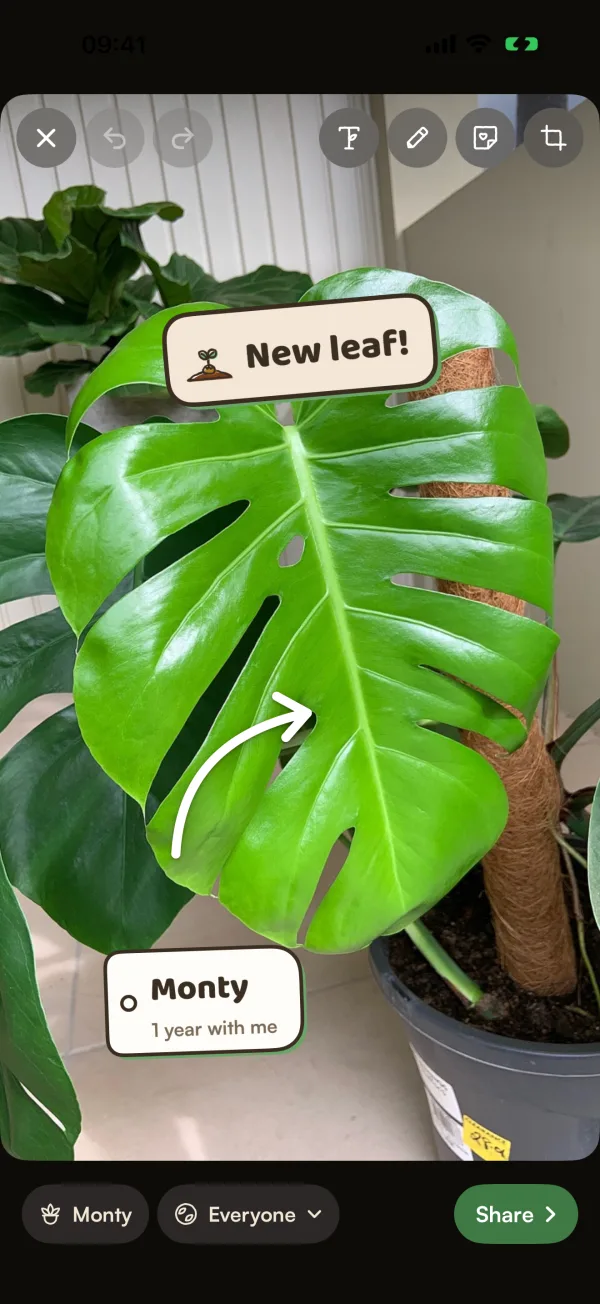
A story is for the small moments that don't need a whole post: a leaf unfurling this morning, a plant's first day home. It shows for 24 hours at the top of Growers, then it's gone. You can dress it up with stickers made from your plant's own details, and ask a quick poll or quiz.
Start a story
- Tap +, then Story.
- On Growers, open Following and tap Your story, the first ring.
- On a plant's page, open the menu and tap Share to your story. Choose a moment, such as New leaf, New arrival (for a plant you got in the last month), Anniversary (after a year) or Just the photo. The editor opens with the right stickers already placed. Everything can be moved or removed.
- On a plant's anniversary, Today offers Share to your story too.
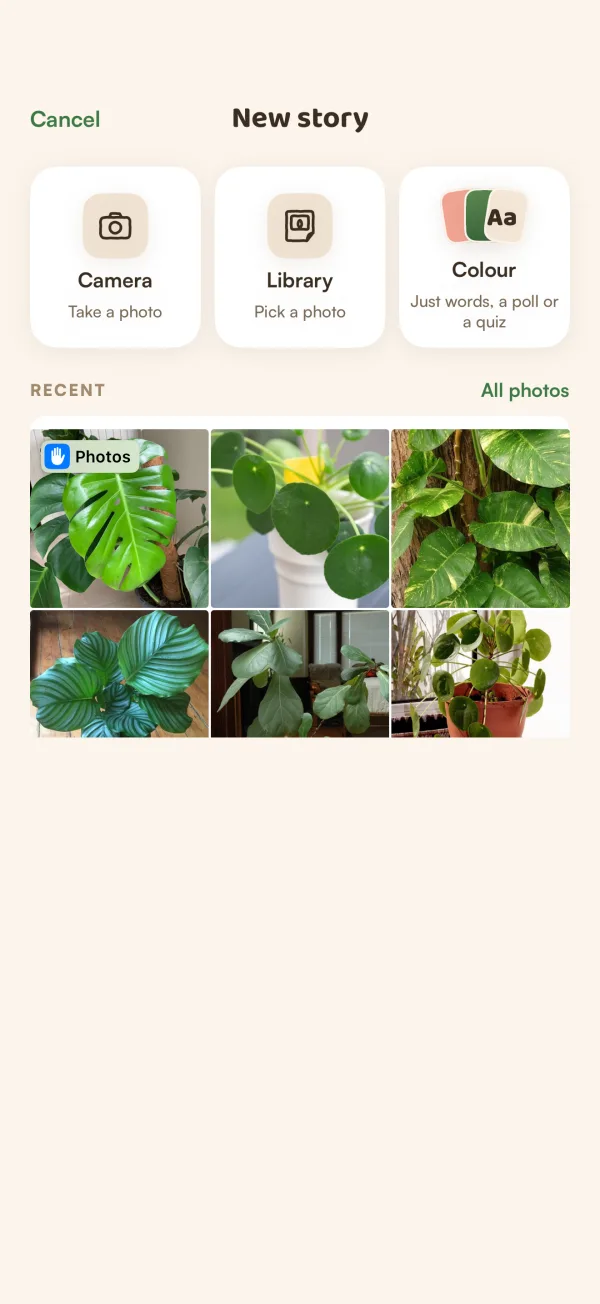
New story gives you three ways in: Camera (take a photo), Library (pick a photo) or Colour ("Just words, a poll or a quiz"). Your latest photos sit under RECENT, with All photos for the rest.
Make it yours
The tools sit along the top of the photo:
- Text: type something, then drag it where you want it.
- Draw: draw on the photo with your finger.
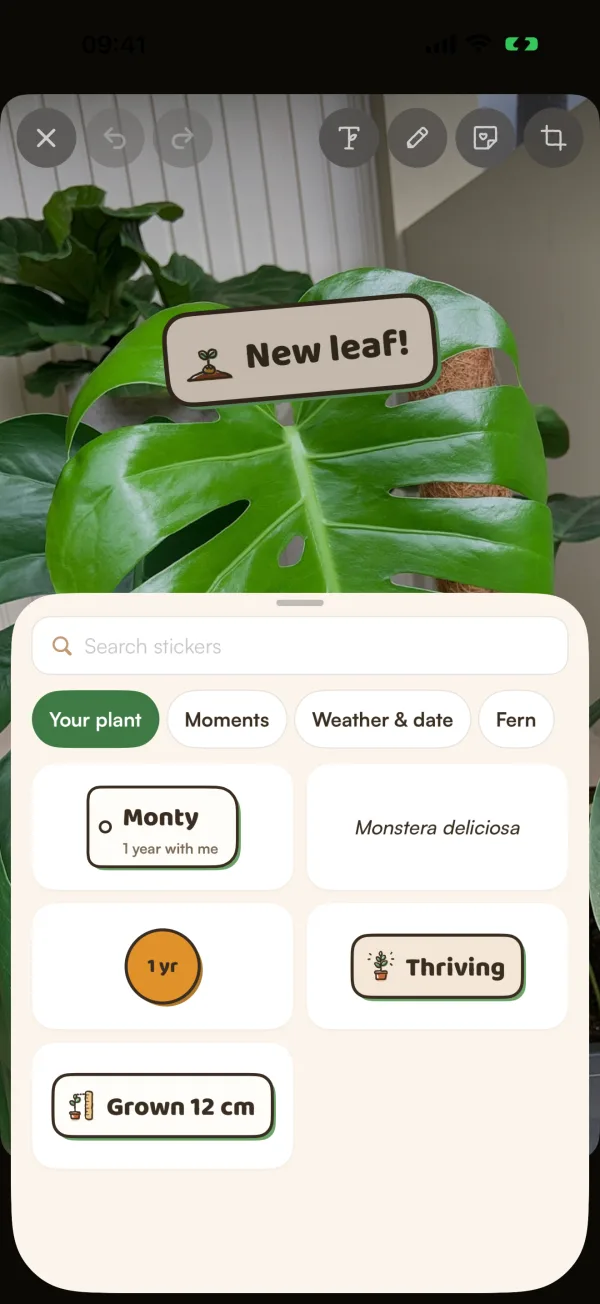
- Stickers: tabs for Your plant (its name, how long it's been with you, its species), Moments, Weather & date and Fern. Poll and Quiz are first under Moments.
- Crop & filters: zoom and frame the photo. You can also swipe across the photo to change its filter.
Drag a sticker to move it, pinch to resize and twist to turn. To remove one, drag it to the bin at the bottom. Undo and Redo are at the top left.
Under the photo, tap the plant chip to tag a plant, or change it. The next chip shows who can see the story.
Add a poll or a quiz
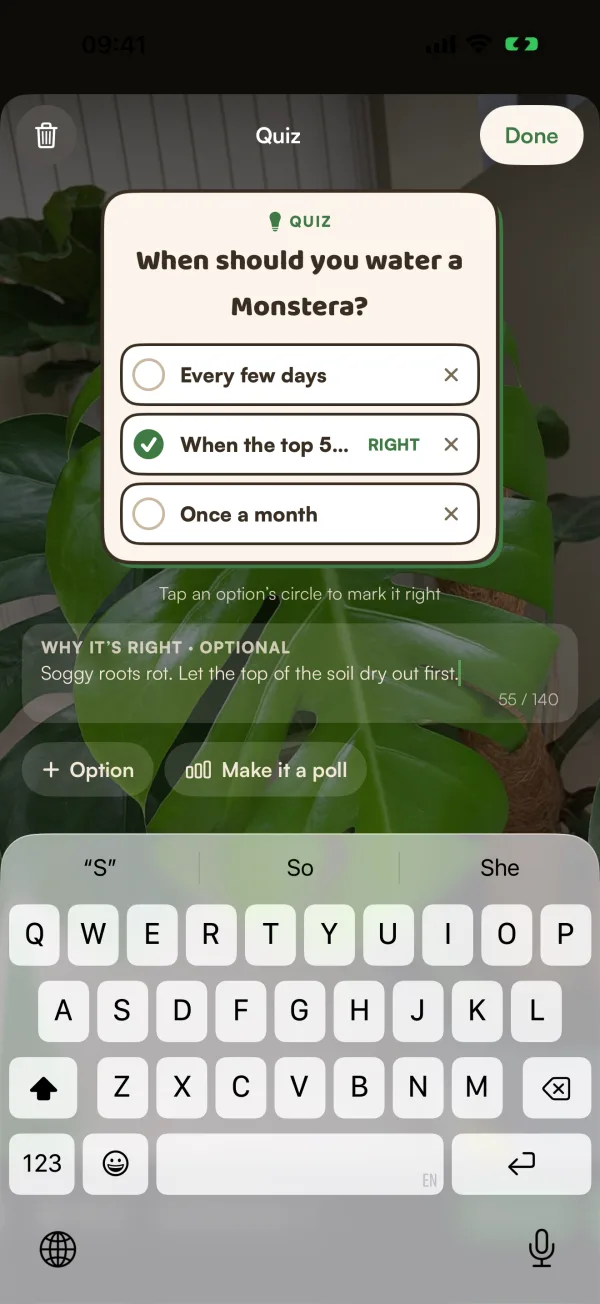
- Tap Stickers, then Moments, then Poll or Quiz.
- Write your question and up to 4 options. Tap + Option for another. Options can be words or pictures.
- For a quiz, "Tap an option's circle to mark it right", and add WHY IT'S RIGHT · OPTIONAL if you like.
- Tap Done.
Tap Make it a poll or Make it a quiz to switch. A story's poll ends with the story.
Share it
- Tap Share.
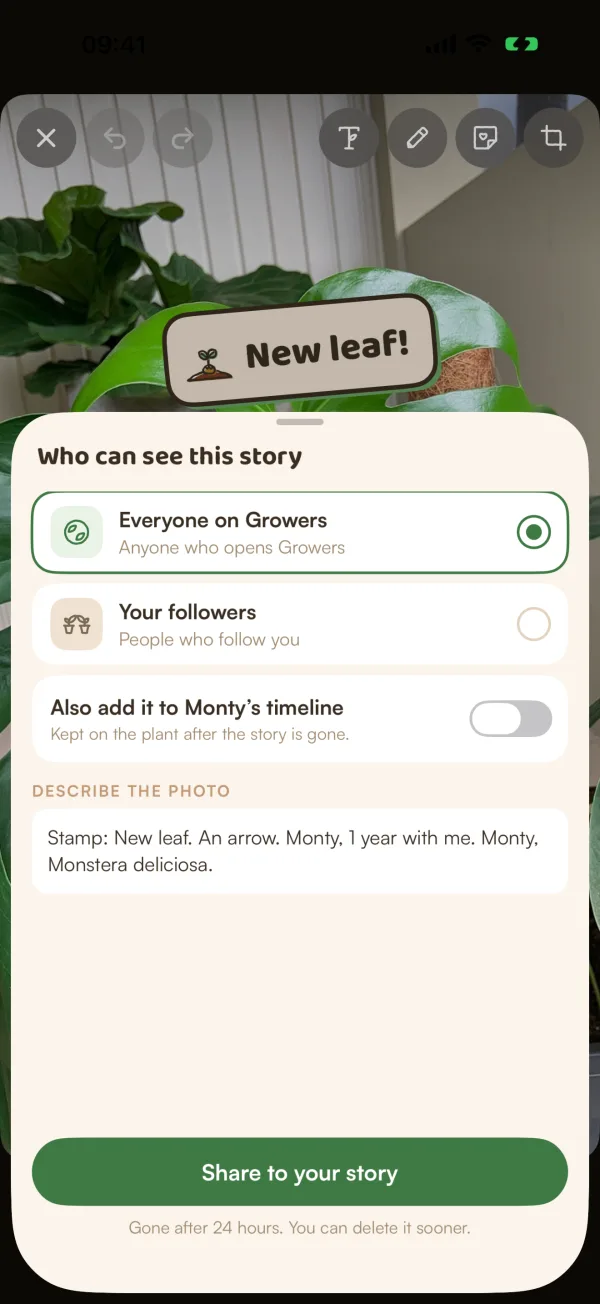
- Under Who can see this story, choose Everyone on Growers ("Anyone who opens Growers") or Your followers ("People who follow you").
- If a plant is tagged, turn on Also add it to Monty's timeline to keep the photo on the plant: "Kept on the plant after the story is gone."
- Check DESCRIBE THE PHOTO. Fern fills it in from your stickers and text; it's read to people using VoiceOver.
- Tap Share to your story.
"Gone after 24 hours. You can delete it sooner." Your story shows as your ring at the top of Following. While it's being checked, it says "Being checked — only you can see it for now".
Watch and answer stories
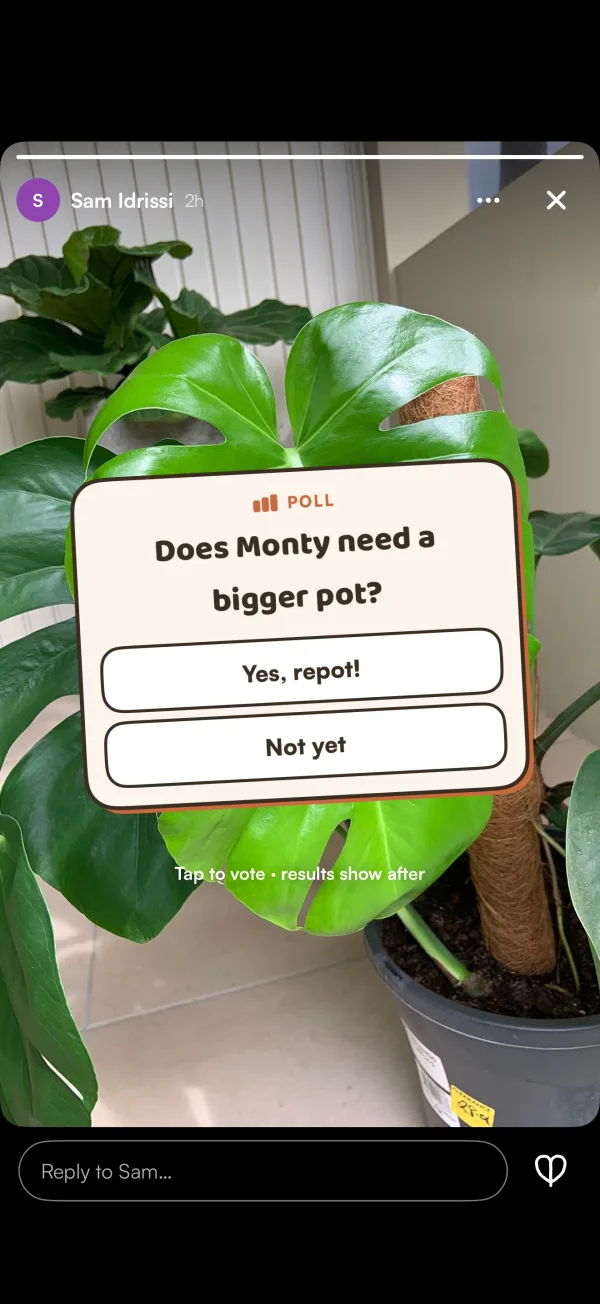
Stories from people you follow are the rings at the top of Following. A green ring means something new. Tap one to watch. Tap the left side of the photo to go back, anywhere else to go on, and ✕ to close.
- Tap the heart, or write in Reply to… at the bottom. A reply goes only to the person who shared the story.
- On a poll, tap your choice: "Tap to vote · results show after". On a quiz, "Tap your answer · you'll see if it's right". Your vote is final.
The person who shared the story can see who watched it, and how each person voted.
On your own story you'll see Seen by and the number of hearts. Tap it for who saw it, who hearted it and the replies: "Only you see these". To take a photo down early, tap •••, then Delete this photo.
Stories never send a notification. New ones show as a green ring.
What if…
What if it says "Add a few words or a sticker to share"?
A Colour story needs something on it. Type some words or add a sticker.
What if it says "That's a lot of story photos for one day"?
There's a daily limit on story photos. Try again tomorrow.
Can I report a story?
Yes. Tap ••• on it, then Report. "Reports are private. Our team reviews it."