
Measure light with the light meter
The light meter uses your phone's camera to tell how much light a spot gets, from low light to direct sun, so you can match plants to places. Part of Fern Pro.
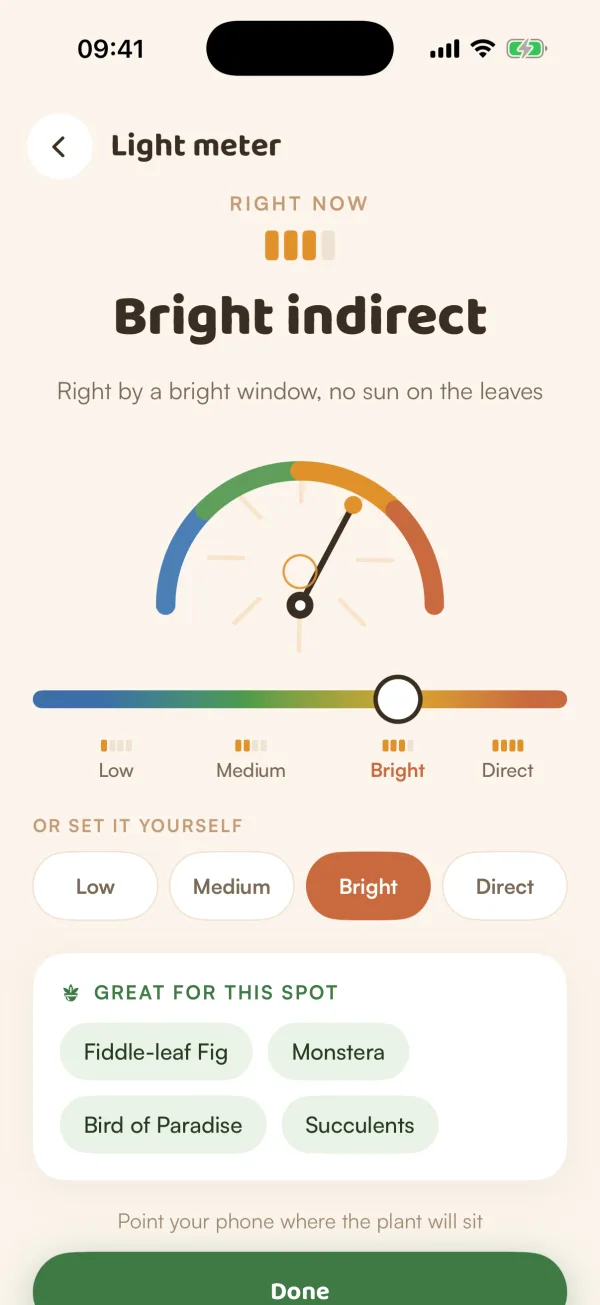
How bright is that shelf, really? The light meter points your phone's camera at a spot and tells you, in words rather than numbers: Low light, Medium light, Bright indirect or Direct sun. Saved to a place, it helps Fern judge which plants would be happy there.
Measure a spot
- Open the light meter (see below).
- Hold your phone where the plant will sit.
- Watch the reading settle. While the camera is measuring, the top says "MEASURING LIVE".
- Tap Save to Kitchen (the place's name) to keep it, or Done when there's nowhere to save it.
You'll see the level with its bars, a sentence describing it, and "GREAT FOR THIS SPOT", a few kinds of plant that usually like that light.
| Level | What it looks like |
|---|---|
| Low light | A shady corner, or a room far from windows |
| Medium light | A few steps from a window |
| Bright indirect | Right by a bright window, no sun on the leaves |
| Direct sun | Sun on the leaves for a few hours |
Where to find it
- Today: the Light meter tile on the Explore shelf ("Find the right spot"). Opened from here, it measures but doesn't save anywhere, so it ends with Done.
- A place in your home: when you add or edit a place, tap Measure with light meter. Saving sets the place's measured light. See Set up places.
- Adding a plant: on the Tune the first schedule step, tap Measure the light, or Re-measure when the light came from its place.
Set it by hand
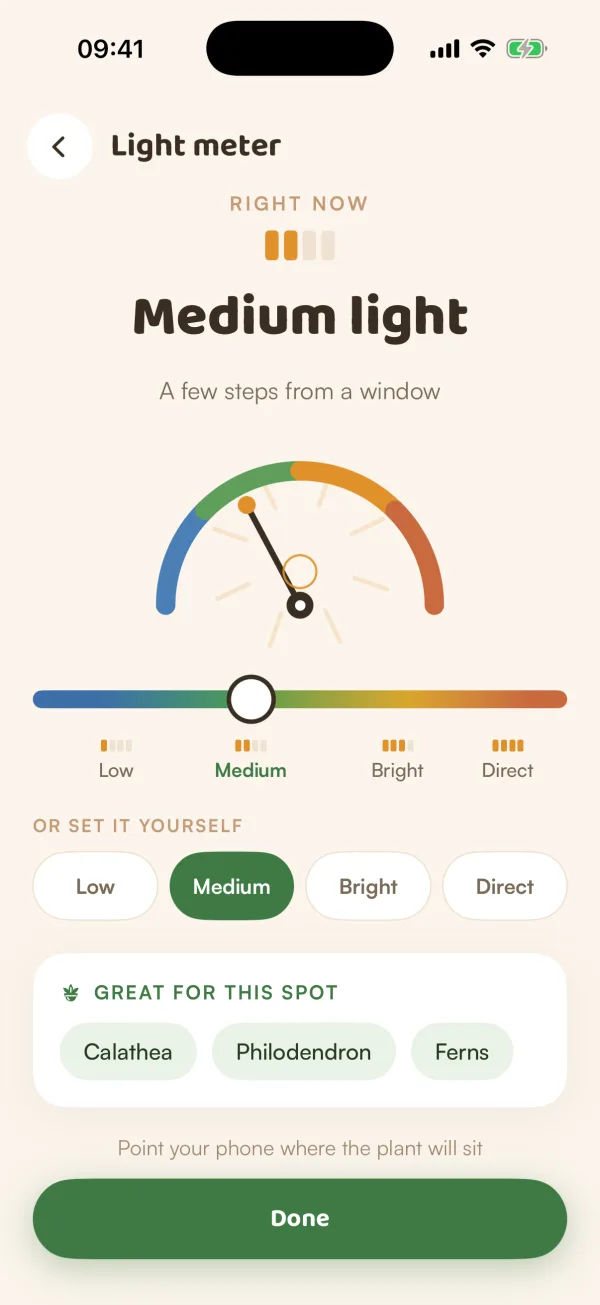
Under "OR SET IT YOURSELF", tap Low, Medium, Bright or Direct, or drag the scale. The top then says "SET BY HAND". To go back to the camera's reading, tap Measure live.
Tips
- Measure each place once and save it. The place keeps its level, so you don't need to measure again for every plant you put there.
- Measure where the leaves will be, not on the windowsill if the plant sits a metre back.
- Once a room's light is measured, a plant's page in the library can judge that room in Does it suit your home?, not only your city.
What if…
What if it says camera access is off?
Fern shows "Camera access is off — drag the scale to set the light manually, or allow the camera to measure it live." Tap Open Settings and turn on Camera for Fern, or set the level by hand.
What if the reading jumps around?
Hold the phone still for a moment. If it keeps moving between two levels, the spot sits between them: pick the one that matches the description best by hand.
What if I'm on the free plan?
Tapping the light meter shows what Fern Pro adds. When you add a plant, you can still choose its light by hand: Low, Medium, Bright or Direct sun.