
Find plants that thrive near you
Thrives near you ranks plants for your local weather, or for a typical home indoors, with a fit score out of 100 and filters for pets, easy care and low water.
On this page
Not sure what would do well where you live? Thrives near you ranks plants for your climate: outdoors from your local forecast, indoors for a typical home. Each plant gets a fit score, the temperatures it likes against yours, and a short reason.
Open it
- On Today, tap Thrives near you on the Explore shelf. The tile shows your city once Fern knows it.
- Or, in Explore, tap Near you in the switch at the top, or the Thrives near you card on the Plants side.
Set where you are
The first time, Fern asks "Where do your plants live?":
- Tap Use my location to use where your phone is, or Type a city instead to search for one.
- Fern saves it as your location and ranks plants for it.
Only growing indoors? Tap "Only growing indoors? You don't need a location — see indoor picks." Indoor picks don't need a location at all.
Outdoor or Indoor
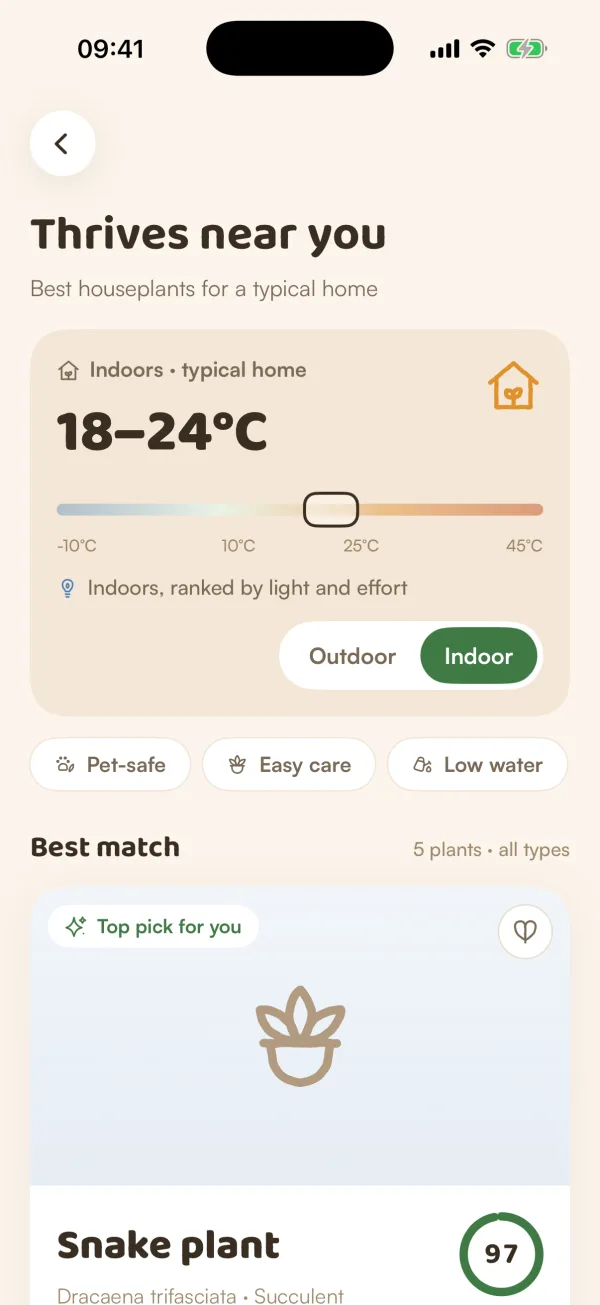
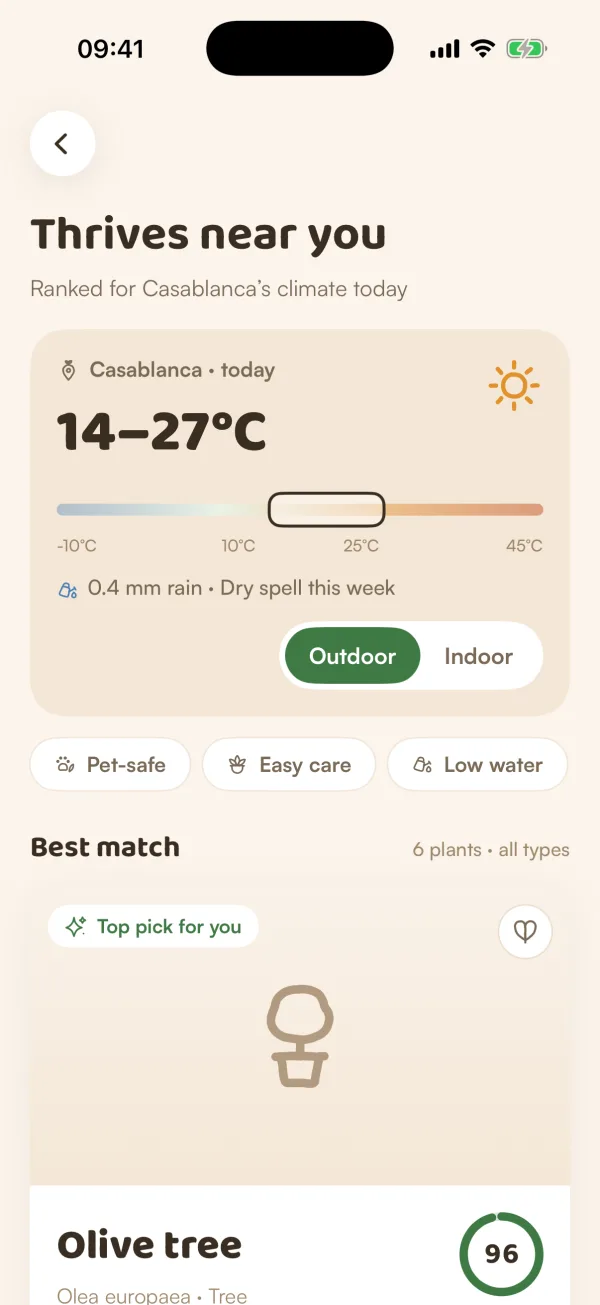
The card at the top shows where the list is ranked for and its switch:
- Outdoor ranks plants for your local weather: the card says "Casablanca · today", for example, with your temperature range and notes like "Dry spell this week" or "Cold nights".
- Indoor ranks houseplants for a typical home ("Indoors · typical home"), by light and effort.
Fern remembers which one you chose for next time. If Fern can't read your weather, it ranks for a typical home and says "Couldn't read your weather — ranked for a typical home".
Read the list
- Best match is the top plant, in a large card.
- Also great here lists the rest, numbered.
- Each plant has a ring with a fit score out of 100. Green is a great fit (85 and up), amber a good one (70 to 84), and below that it's so-so.
- A bar shows the temperatures the plant likes ("Likes 10 — 30°C") against yours, and a line or two says why it ranks where it does, such as "Easy to care for", or "Needs shelter" when your temperatures fall outside its range.
- Tags show its light, how much care it takes, and whether it's Pet-safe, Toxic to pets or unknown for pets.
The score comes from how well your temperatures sit inside the plant's range, how easy it is, conditions like a dry spell or the light homes usually have, and how much Fern knows about the plant.
Filter, save and add
- Tap Pet-safe, Easy care or Low water to narrow the list. Turn on more than one if you like.
- Tap the heart on a plant to save it to your wishlist.
- Tap Add to My Plants (or Add) to add it, in the same short steps as adding by name. Once it's added, Fern shows "Added to My Plants", and the plant then reads In My Plants.
- Tap a plant to open its page in the library.
If no plant matches every filter, Fern says "Nothing fits all of that" and offers Clear filters.
Tips
- The outdoor list follows the forecast, so it changes with the weather. Check it again at the start of a season.
- "Ranked for Casablanca's climate today" means just that: today's outlook, not a promise for the whole year. Read a plant's Does it suit your home? section for your rooms and your city's coldest nights.
What if…
What if it keeps asking where my plants live?
Fern couldn't save a location yet. Tap Use my location and allow location for Fern, or type a city. If location is off for Fern, see Camera or location isn't working.
What if I see "Nothing to suggest yet"?
Fern couldn't rank plants for there just then. Tap Try again.
Does this need Fern Pro?
No. Thrives near you is free. Adding a plant follows the free plan's one-plant limit.