
Going away
Turn on Away mode before a trip. Fern pauses your plants, sends no reminders and counts nothing as late. What comes due waits for you as today's care.
On this page
Going on holiday shouldn't mean coming back to a list of late plants. Tell Fern you're away and it pauses your plants: no reminders while you're gone, and nothing counts as late. When you're back, what came due is waiting as today's care.
Turn on Away mode
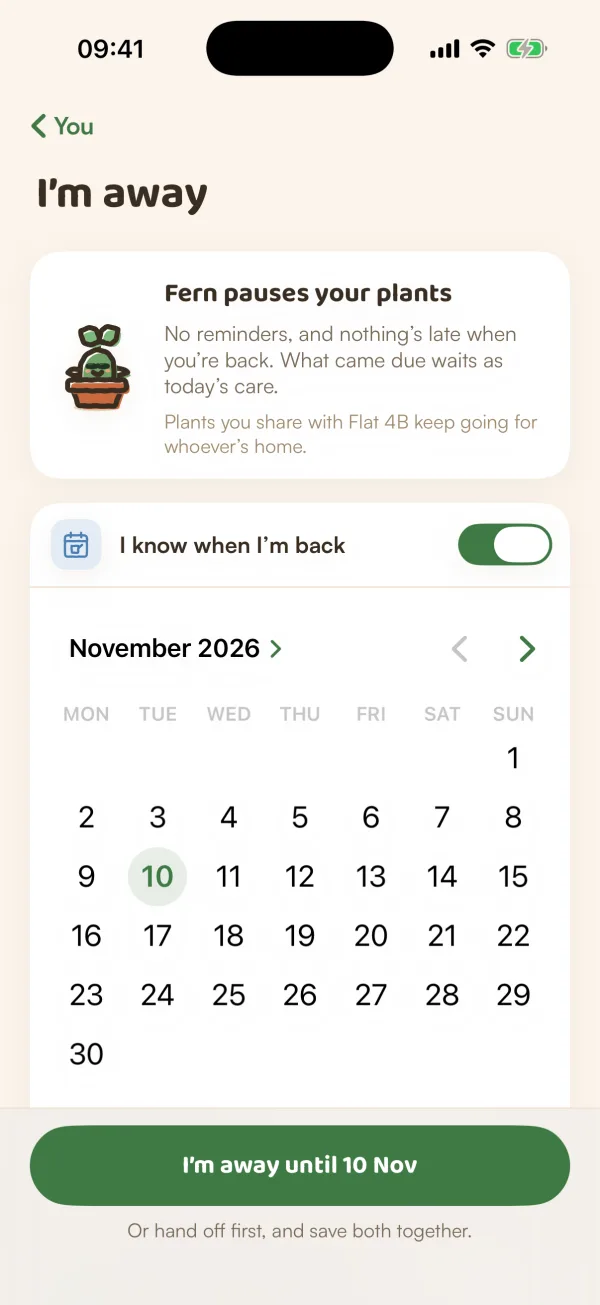
- On You, under Care, tap Away mode. You'll see I'm away, with "Fern pauses your plants".
- If you know your return date, turn on I know when I'm back and pick the day. Fern shows "Back on Tue 20 Oct" and how many days that is. Leave it off and you're "Away until you tap I'm back. No date to guess."
- Tap I'm away until your date (or I'm away).
If you share a home, you can hand plants to someone there before you save. See Hand off plants.
While you're away
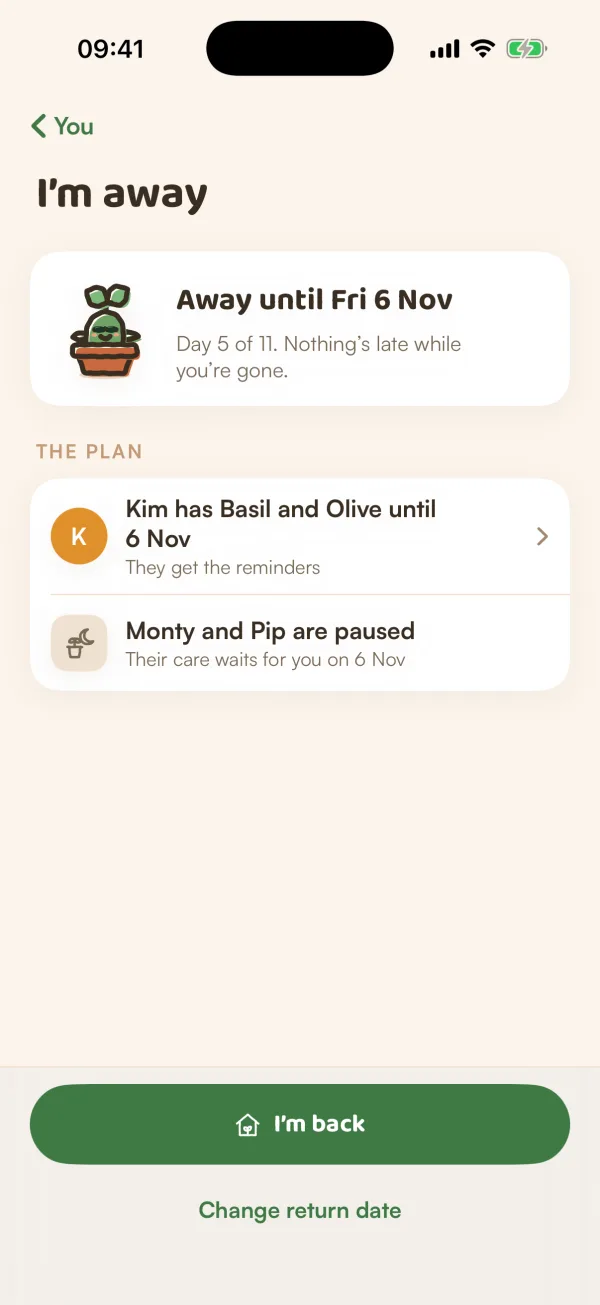
Today shows one card: "Away until Tue 20 Oct" (or "Away until you tap I'm back"), and what's happening to your plants, such as "Kim has Basil and Olive · Monty and Pip are paused". Tap I'm back, or See the plan to open Away mode.
On Away mode, The plan says what's happening to each plant: who has which ones, which ones the home looks after, and which are paused ("Their care waits for you on 20 Oct"). The top line counts the days: "Day 5 of 11. Nothing's late while you're gone."
To change your return day, tap Change return date, pick a day under "When are you back?", and tap Away until that day.
Shared plants keep going
Plants you share in a home with other people don't stop. "Plants you share with Flat 4B keep going for whoever's home." The others get their reminders while you're away, and your own plants pause.
Coming back
Tap I'm back on Today or on Away mode. If you set a return date, Away mode ends by itself that day, and Fern lets you know the day before.
Your plants pick up from where they were. Anything that came due while you were away is on Today as today's care, not as late.
If someone is still looking after some of your plants on their own dates, Fern asks first: Take them back now, or Let Kim keep them. "Kim gets a note either way."
Free and Fern Pro
Away mode is free on every plan. Handing your plants to someone else while you're away is part of Fern Pro. Covering someone else's plants yourself is free.
Tips
- Turn it on before you leave. Away mode starts the moment you save it.
- Not sure when you'll be back? Leave the date off. Away mode lasts until you tap I'm back.
- Days away count as calm days for your care score. See Your care score.
What if…
What if I come back early?
Tap I'm back whenever you're home. Your plants start again from today.
What if I want to pause only one plant?
Use Pause notifications on that plant instead. See Pause a plant's reminders.
Do I still get notifications while I'm away?
Not for your paused plants. Plants someone else looks after remind them, not you.