
Add the places your plants live
Places are the rooms and spots in a home, like the kitchen or the balcony. Add them so Care Rounds go room by room and each plant shows where it lives.
On this page
A place is a room or a spot where plants live: the living room, a bathroom shelf, the balcony. Once a home has places, every plant can say where it is, Care Rounds go room by room, and the home's page shows how each place is doing.
Places belong to a home, and anyone in the home can add them.
Add a place
- Open your home: on You, under Households, tap it.
- Under Places, tap Add the rooms your plants live in (or See all if there are some already).
- On an empty Places screen, "Where do your plants live?", tap a suggestion to add it in one go: Living room, Kitchen, Bedroom, Bathroom or Balcony. Or tap Add a place to set one up yourself.
Set up a place
New place asks a few things. Only the name is needed.
- TYPE: tap a room (Living room, Bedroom, Kitchen, Office, Bathroom, Balcony, Study, Sunroom) to fill in the name, or Custom to type your own.
- NAME: what you call it, like "Kitchen window".
- WINDOW FACING: tap N, E, S or W to see what light that window usually gets, such as "East-facing — soft morning sun, mild afternoons."
- MEASURED LIGHT: tap Measure with light meter to measure the spot with your phone. The reading shows as light bars on the place's card.
- Indoor place: on for rooms. "Turn off for balconies & gardens."
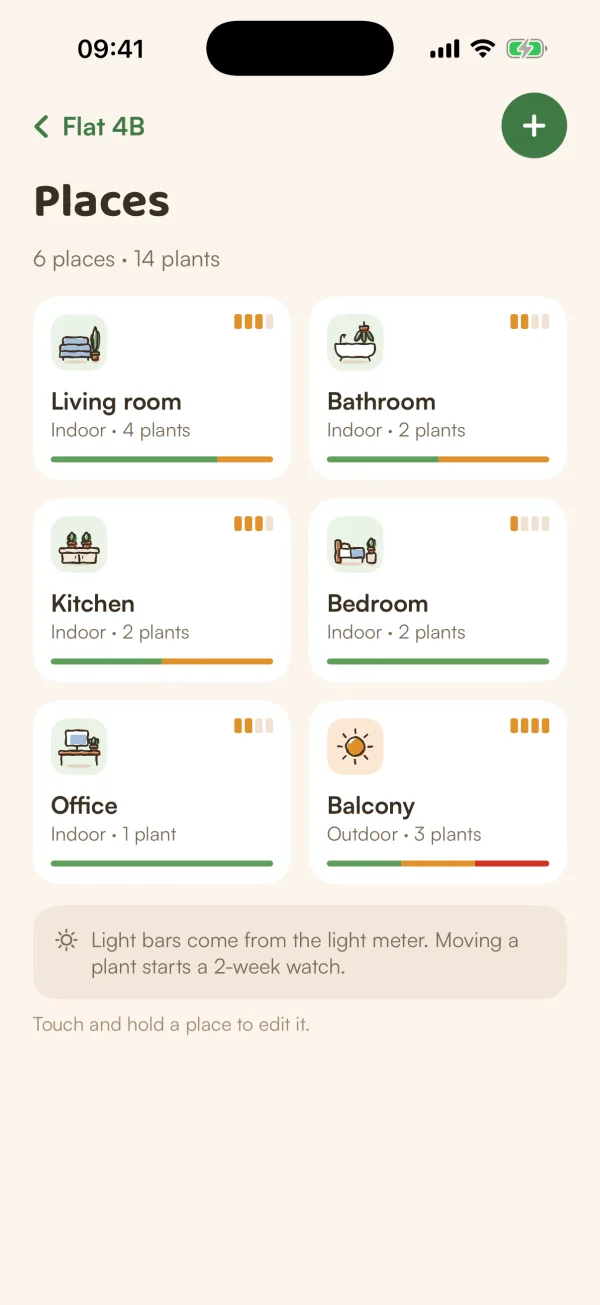
Tap Save place. The place appears on the home's Places screen, with how many plants are in it.
See and change a place
On Places, each card shows the place's name, indoor or outdoor, how many plants, its light and how its plants are doing.
- Tap a place to see the plants in it.
- Touch and hold a place, then Edit with its name, to change it. To remove it, tap Remove this place at the bottom. "Plants in it keep living — they just lose their room."
Put plants in a place
Open a plant and tap the place chip (it says Choose place when it has none). Pick the home and the place, then Move here. See Choose a place and a caretaker.
Dividing a plant or potting up a cutting also asks which room the new plant goes in.
Free and Fern Pro
Places are free: add as many as you like. Measuring a place's light with the light meter is part of Fern Pro. See Measure light with the light meter.
Tips
- Add places before your first Care Round. The round starts in one room and works through the rest, so you're not walking back and forth.
- Name places the way you'd say them out loud. Everyone in the home sees the same names.
- A spot near a window and the back of the same room get very different light. Make them two places if your plants care.
What if…
What if I remove a place by mistake?
The plants that were in it are still there, without a place. Add the place again and move them back in.
Why don't I see Places for my plant?
Places belong to a home. If a plant isn't in a home, move it into one first.
Can someone else in my home change my places?
Yes. Places belong to the home, so anyone in it can add, edit or remove them.