
Fern can't connect
When Fern says you're offline or it can't reach Fern, your plants are safe. Here's what still works, what waits, and how Fern tries again.
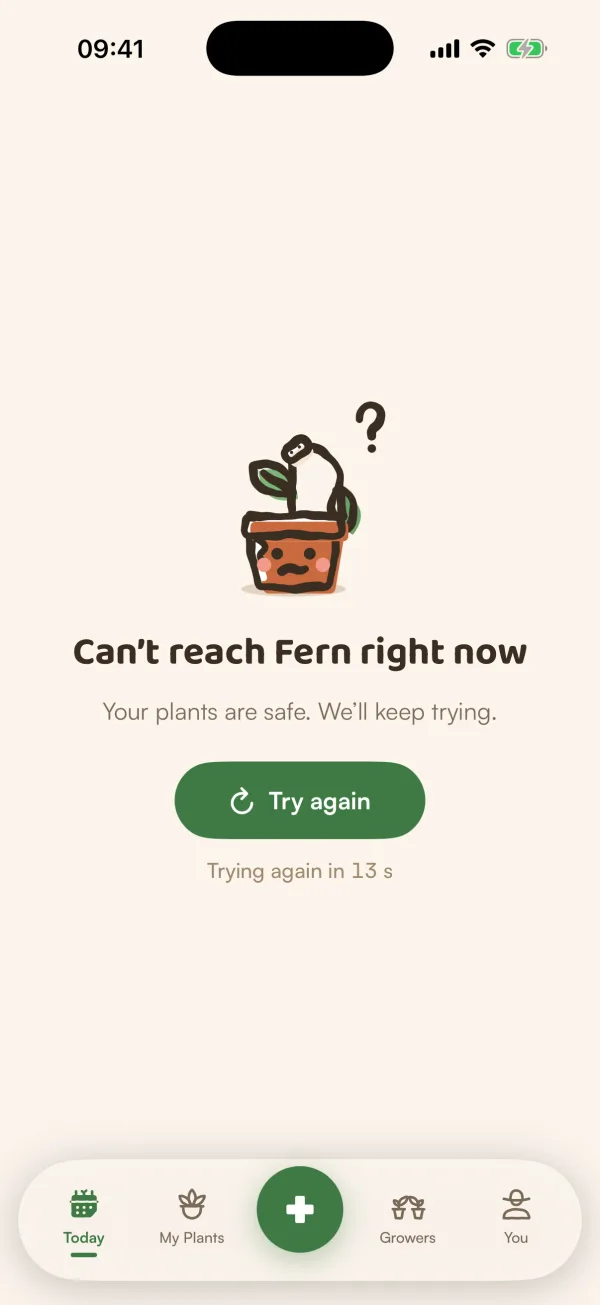
Fern keeps your plants on its servers, so it needs a connection to show what's new. When it can't get one, it tells you which side the problem is on and keeps trying by itself. Nothing is lost in the meantime.
What you'll see
Fern tells the two cases apart:
| Fern says | What it means |
|---|---|
| "You’re offline" · "Fern will catch up when you’re back online." | Your phone has no connection. |
| "Can’t reach Fern right now" · "Your plants are safe. We’ll keep trying." | Your phone is online, but Fern's servers aren't answering. |
When Fern has a saved copy of the screen, such as Today, My Plants or You, it shows that copy with a banner on top: "You’re offline — showing what was saved" or "Can’t reach Fern — showing what was saved", with Retry.
When there's nothing saved to show, the whole screen says it, with Try again and a countdown: "Trying again in 20 s".
Fern tries again by itself
Fern tries again every 20 seconds while the message is on screen, and straight away when your phone gets its connection back. You can also tap Try again or Retry at any time. While it tries, the button says "Trying…".
What still works offline
- Checking off care on Today. Fern keeps what you did, shows it as done and sends it when you're back online. See Check off care.
- Reading what was saved on Today, My Plants and You.
Most other things need a connection: scans and health checks, Ask Fern, Growers, starting an export, and saving changes to settings. When one can't get through, Fern says so, for example "Couldn't reach Growers. Try again in a moment."
Tips
- Check that Wi-Fi or mobile data is on, and that Fern is allowed to use mobile data in your phone's settings.
- If Fern says "Can’t reach Fern right now" while other apps work, the problem is on Fern's side, not yours. Leave it a few minutes: Fern keeps trying.
What if…
What if something I did offline wasn't saved?
Fern tells you, for example "Watered Monty couldn't be saved". Do it again from the plant's row on Today.
What if Fern says "Care wasn't sent" in a Care Round?
Your phone lost its connection during the round. Tap Retry, or Later to keep going. See Do a Care Round.
What if it never connects?
Close Fern completely and open it again. If other apps work and Fern still can't connect after a while, write to contact@fernplant.app.