
Use the Growers map
See who's growing what around you, find helpful growers in your city, and choose whether you appear. The map shows areas, never addresses, and it's free.
On this page
The Growers map shows where people on Growers keep their plants, by area: countries, regions, cities and districts, never a street or a dot. Use it to find helpful growers near you and see which plants do well where you live. Browsing it and being on it are both free.
Open the map
- Tap Growers.
- Tap the map button at the top.
The map is for people who've joined Growers. Before you join, it's blurred behind "See who's growing near you". Tap Join Growers to join; it's free.
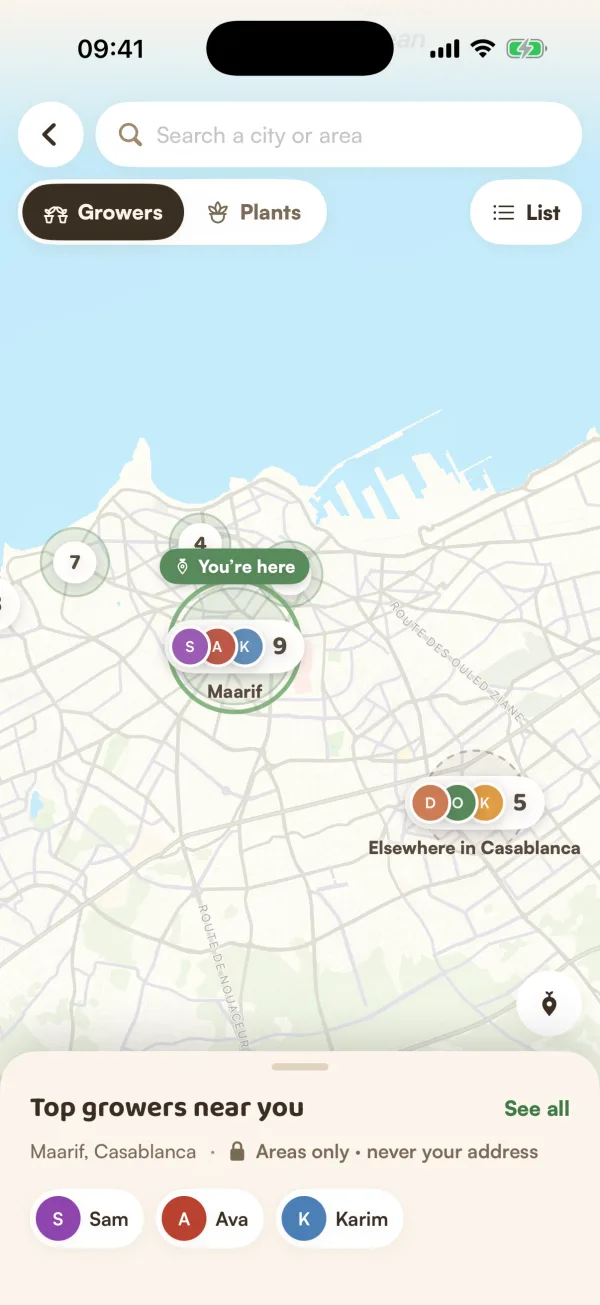
The map opens on your area if you're on it, otherwise where you are. With location off for Fern it says "Location is off. Look around anywhere." and opens on your country. Tap Use my location to jump to where you are.
Look around
- Pinch and drag to move. Zooming in splits a country into regions, then cities, then districts.
- Each bubble is an area, with the faces of its top growers and how many there are.
- Switch between Growers and Plants at the top. Plants shows what's most grown in each area.
- Tap List for the same areas as a list, easier with large text or VoiceOver.
- Tap the search bar to find a city or area by name.
- Tap the location button to go Back to my area.
Tap a bubble to open the area. You'll see how many growers it has, what they did this month and its climate, then:
- Top growers: tap someone to see their profile, or Follow them. Tap See all for the full ranking: "Ranked by helpful answers, likes and posts this month. Only growers who joined the map." Switch the Period between This month and All time.
- Thrives here: "Plants grown by growers on the map in Casablanca. Fewer than 3 shows as “a few”."
Small places are folded into the area around them, so you may see a note like "Few growers in Agadir yet — showing the Souss region."
Put yourself on the map
The first time you open the map after joining, Fern asks Join the Growers map?: "Growers nearby will see you in your area's bubble. Never your address, never a dot."
- Tap Find my area. Fern asks for your location once, if it hasn't already.
- Check WHAT OTHERS SEE: your first name and the area, such as "Ana · Casablanca".
- Under SHOW ME AS, choose Your city, or Your district when Fern found one.
- Tap Show me on the map.
Fern says "You're on the map as" your area. Your position is only used to find your area, then dropped. Fern keeps the area, never your exact position.
Not ready? Tap Not now. Later, the map shows "You're not on the map" with Join.
How the map keeps you private
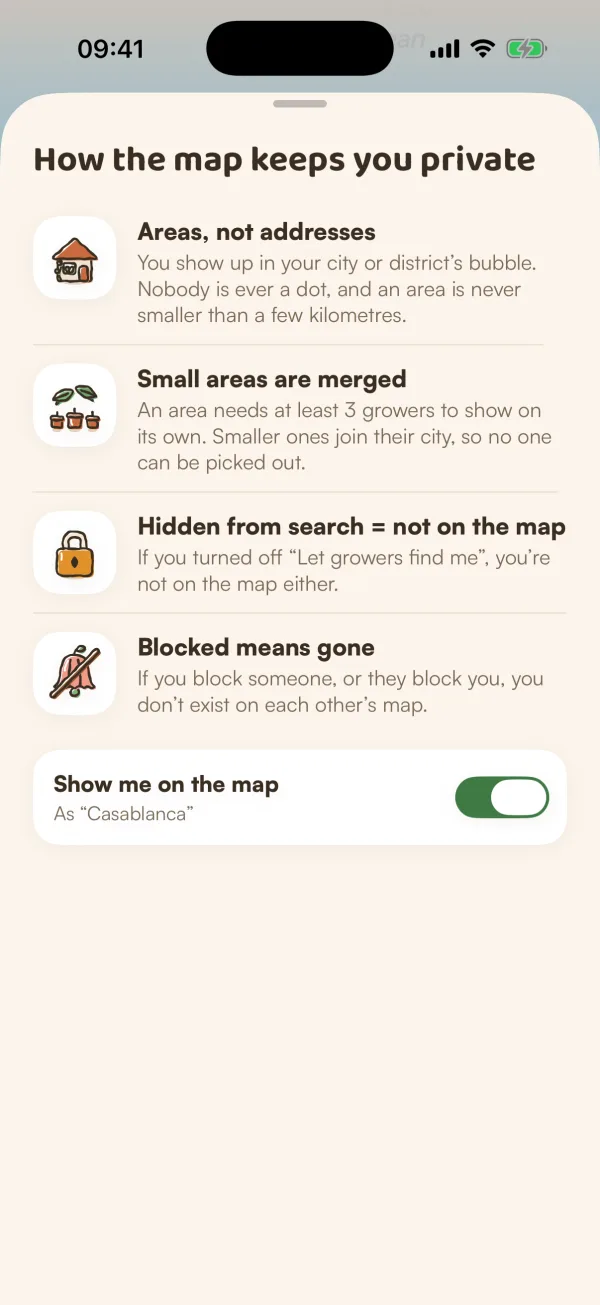
Tap How the map keeps you private for the four promises:
- Areas, not addresses: "You show up in your city or district's bubble. Nobody is ever a dot, and an area is never smaller than a few kilometres."
- Small areas are merged: "An area needs at least 3 growers to show on its own. Smaller ones join their city, so no one can be picked out."
- Hidden from search = not on the map: "If you turned off “Let growers find me”, you're not on the map either."
- Blocked means gone: "If you block someone, or they block you, you don't exist on each other's map."
Hide or leave
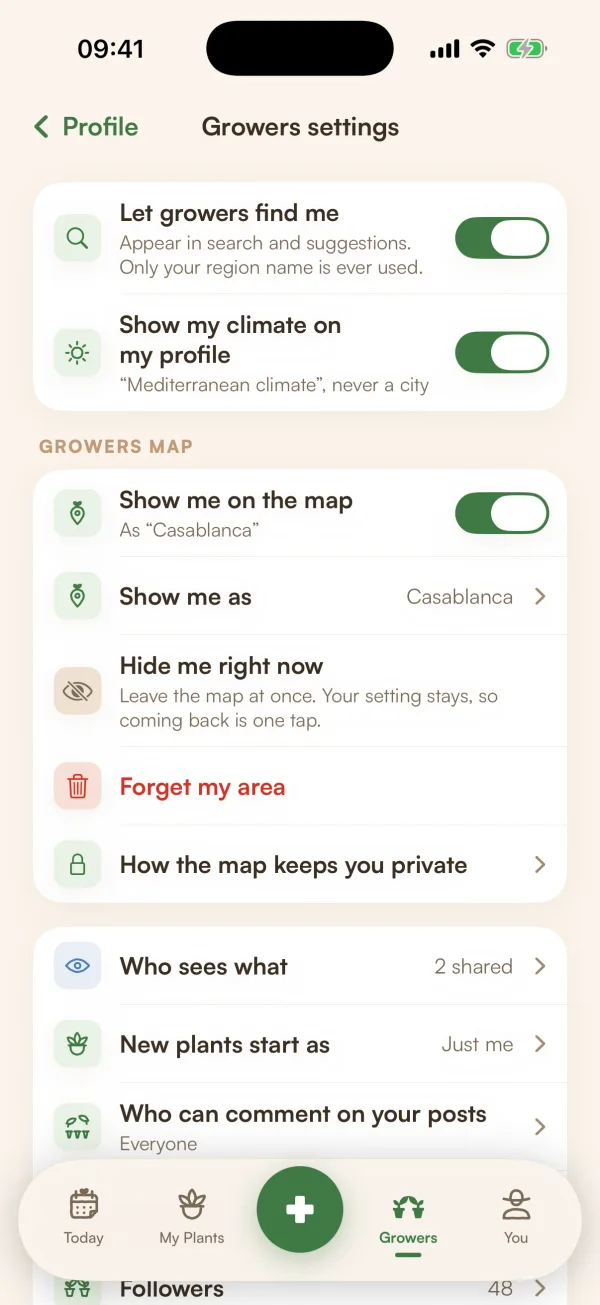
In Growers settings (your profile, then the gear), under GROWERS MAP:
| Setting | What it does |
|---|---|
| Show me on the map | Joins or leaves the map. |
| Show me as | Your city, or your district. |
| Hide me right now | "Leave the map at once. Your setting stays, so coming back is one tap." Tap Show me again to come back. |
| Forget my area | "You leave the Growers map and Fern forgets your area. You can join again any time." |
Free and Fern Pro
"The map is free to browse. Following comes with Fern Pro." Being on the map is free too.
What if…
What if my city doesn't have its own bubble?
It shows once 3 growers are there. Until then, you count towards the area around it.
What if I can't turn on Show me on the map?
Let growers find me is off. Fern says "Turn on “Let growers find me” first". It's at the top of Growers settings.
What if it says "Location is off for Fern"?
Fern can't use your location to find your area. Turn it on for Fern in your phone's Settings, or look around the map by moving it yourself.