
Look up a plant in the library
Search more than 300,000 species in Explore, read what a plant needs and whether it suits your home, then add it or save it for later.
On this page
The plant library is where you read about a plant before it comes home, or look up one you already have. Each plant has its own page: what it needs, what goes wrong, whether it's safe with pets, and whether it would be happy where you live.
Open the library
- On Today, scroll down to the Explore shelf and tap Plant library ("300k+ species"). You can also tap Open Explore next to the shelf's title.
- Explore opens on Plants. The switch at the top moves between Guides, Plants and Near you.
Explore isn't a tab of its own. Today's shelf is the main way in, and it's there every day, under the care.
Search
- Tap the search field ("Search 300,000+ species") and type a name. A common name like Monstera works, and so does a scientific one.
- To narrow the results, turn on any of the chips under the field: Indoor, Pet-safe, Easy, Low light and Low water. You can turn on as many as you like.
- Tap a plant to open its page.
A plant you already have says In your plants in the results. If nothing matches, Fern shows "No plants match", and when filters are on it offers Clear filters.
Browse
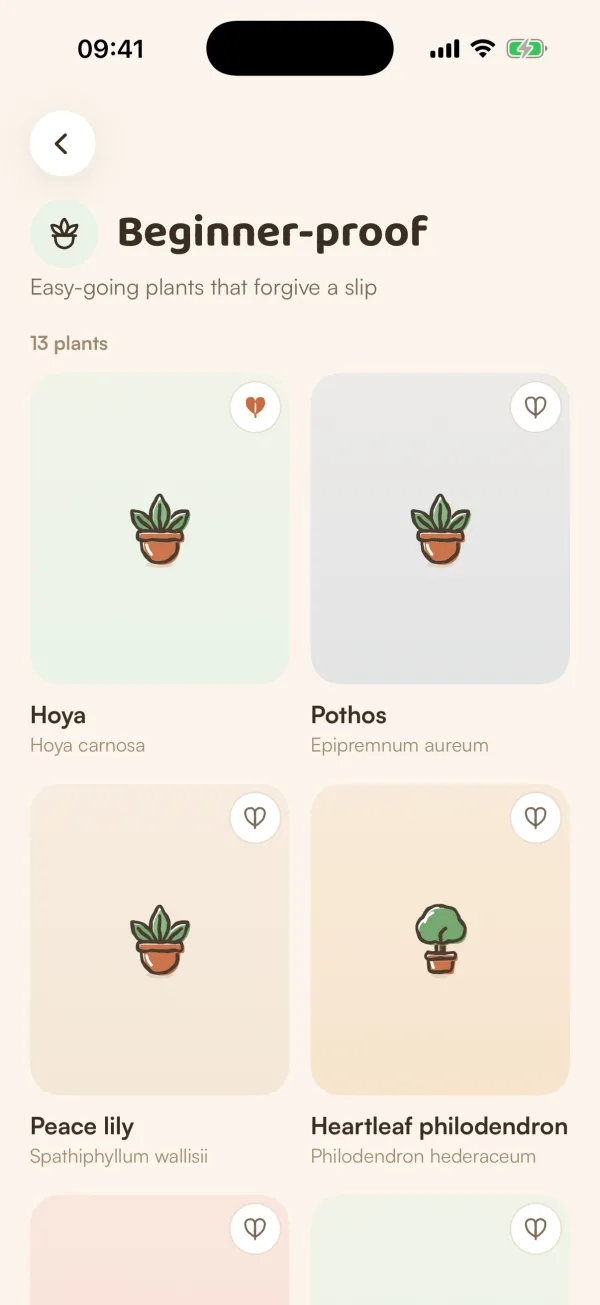
With nothing typed, the Plants side is a front page to wander through:
- Thrives near you: a card that leads to plants ranked for your climate.
- Plant of the week, with a heart to save it.
- Shelves of plants, each with See all.
- Browse lanes: Beginner-proof, Safe with pets, Low water and Trees & shrubs.
- Popular this week: what people are growing.
- Your plants, if you have some, to jump to their care.
Pull down to refresh.
What's on a plant's page
A plant's page shows the sections Fern has something to say about, so not every plant has all of them:
| Section | What it tells you |
|---|---|
| Does it suit your home? | For each of your homes: Suits it, With a little help, Not a good fit or Should suit it, with a sentence on why. |
| At a glance | Water, light, humidity, temperature, size, growth and flowers. |
| What it wants | Its water, light, humidity, temperature and feeding, each with the reason. |
| Its year | When it grows, slows down and rests. |
| Making more | How it's usually propagated. |
| Common problems | What tends to go wrong, the pests it gets, why, and what to do. |
| Where it comes from | Where it grows wild. |
| Safety | Whether it's safe around pets and people, or that it isn't known. |
| From Growers | Posts and questions about it from other growers. |
At the bottom, Add to my plants starts adding it. The heart at the top right saves it to your wishlist ("Saved to wishlist").
Does it suit your home?
Fern judges each of your homes on three things, and How Fern decides explains them:
- Light: the light in your rooms, from the light meter or what you chose, against what the plant needs.
- Cold: how cold your city gets, from ten years of its weather, against the coldest the plant takes.
- Dry air: whether your city has dry desert air, against the humidity the plant wants.
A home without rooms is judged on its city alone, and the card says so ("Judged from Casablanca's climate."). If nothing there should trouble the plant, it reads Should suit it. Tap Measure a room's light to go to that home's places and measure one.
If a home has no city yet, the card asks where that home is, with Set location. "Fern uses the city's climate, never your address."
Free and Fern Pro
The library, plant pages, search and the wishlist are free. Adding a plant is free for your first one; the free plan looks after one plant, and Fern Pro has room for the rest. On the free plan with a plant already, Fern shows "Room for more plants" and the Fern Pro plans instead of adding it. See Free and Fern Pro.
Tips
- Use the Pet-safe filter before you buy, not after. The Safety section says when Fern doesn't know.
- Measure the light in a room once and every plant page can judge that room, not just your city.
What if…
What if a plant page looks thin?
Fern only shows a section when it has something for it. Less-known plants can have just the basics.
What if "Does it suit your home?" is missing?
It needs a home. If you haven't created or joined one, the section doesn't appear.
What if the library doesn't load?
You'll see "Couldn't load the plant library" with Try again. Check your connection, then tap it. Your plants aren't affected.