
Manage or cancel your subscription
See your plan and renewal date in You › Membership, and tap Manage subscription to change plan or cancel. Pro stays on until the end of the period you've paid for.
On this page
Your Fern Pro subscription is billed by Apple (or Google Play on Android), so changes and cancelling happen in your store subscriptions. Fern shows you where you stand and takes you there in one tap.
See your membership
Go to You and tap Membership, under Account. The row shows your plan, such as "Pro · yearly".
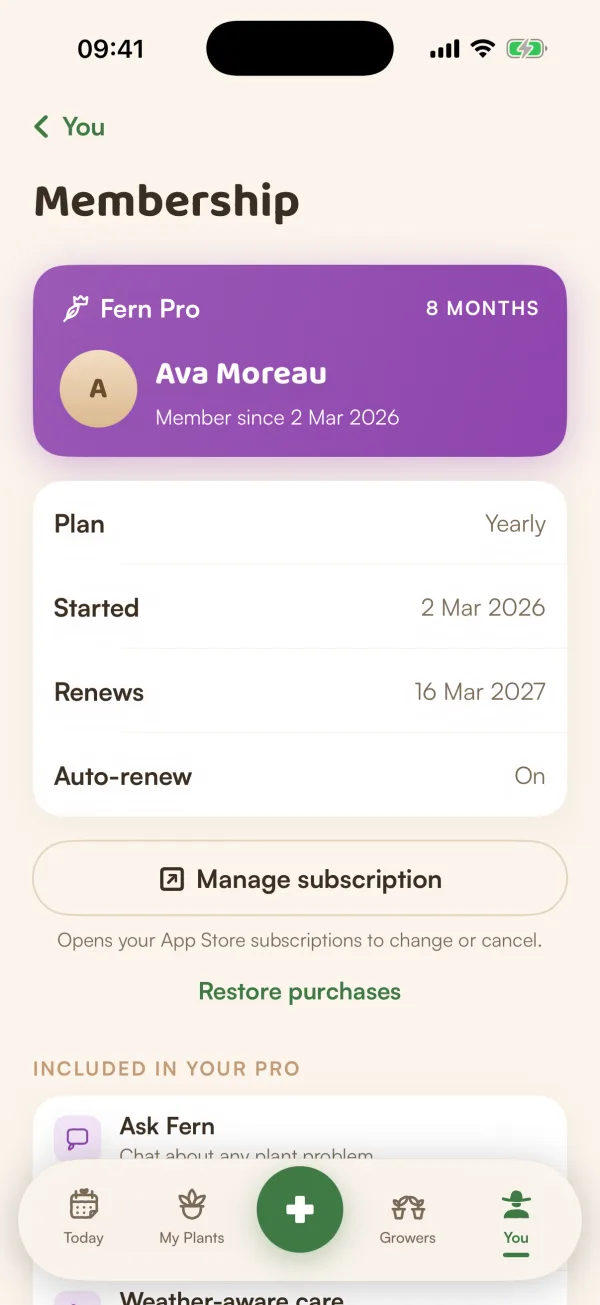
The Membership screen shows:
- A purple Fern Pro card with your name, "Member since" and how many months you've had Pro.
- Plan, Started, Renews (or Ends, once cancelled) and Auto-renew (On or Off).
- Manage subscription: "Opens your App Store subscriptions to change or cancel."
- Restore purchases.
- Included in your Pro: what you have, from Ask Fern to unlimited plants.
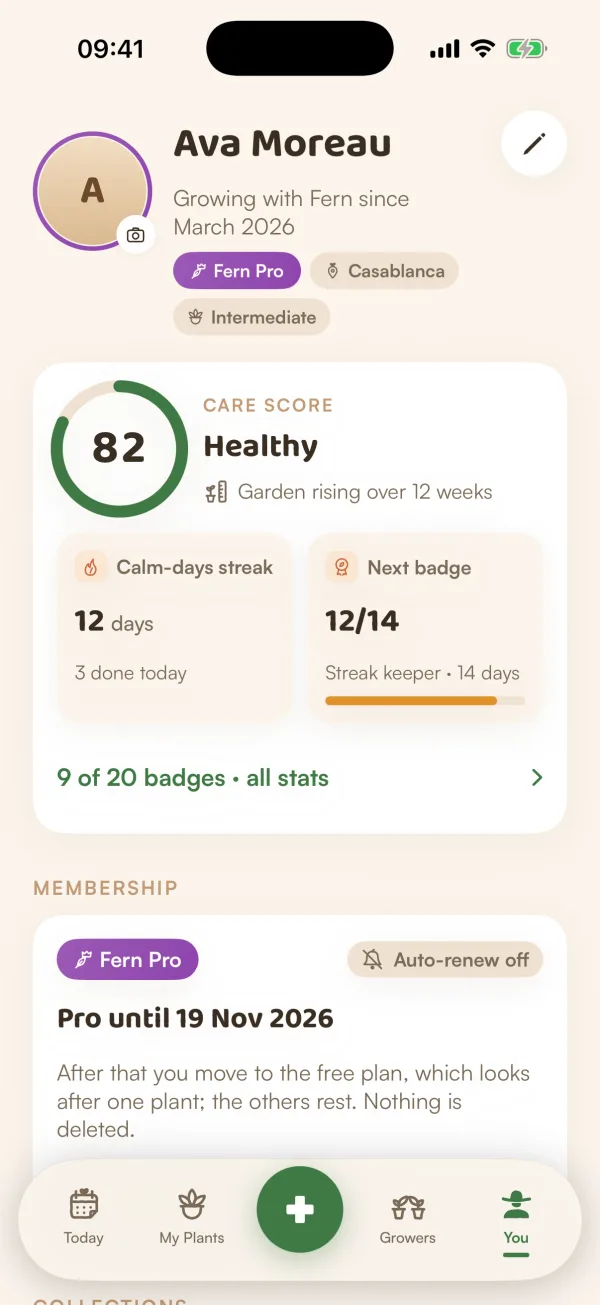
The Membership card higher up on You says "Renews 12 Nov 2026", with Manage subscription and What's included.
Cancel
- In You › Membership, tap Manage subscription.
- Your App Store subscriptions open inside Fern. Choose Fern Pro and cancel there.
You can also cancel in your iPhone's Settings › your name › Subscriptions.
Pro stays on until the end of the period you've paid for. Until then, the Membership card says "Pro until" with the date, and "After that you move to the free plan, which looks after one plant; the others rest. Nothing is deleted." See When your free trial ends for how the free plan works.
Change your mind
Cancelled, but want to keep Pro? On the Membership card, tap Keep Fern Pro. It opens your subscriptions so you can turn renewal back on. Nothing in Fern changes in the meantime.
Switch between monthly and yearly
Tap Manage subscription and choose the other plan in your App Store subscriptions.
Restore purchases
If you subscribed and Fern doesn't show Pro (a new phone, a reinstall, or after signing in again), restore it:
- Go to You and tap Restore purchases, under Account.
- Fern checks with the store and says "Fern Pro restored", or "No purchases to restore" if it found none.
If Fern says "Couldn't reach the App Store — try again", check your connection and try once more.
What if…
What happens to my plants if I cancel?
Nothing, while Pro lasts. After it ends you move to the free plan: Fern keeps looking after one plant, the others rest, and nothing is deleted. Subscribe again any time and they all wake up.
What if Restore says there's nothing to restore?
Check that the phone is signed in to the same Apple ID (or Google account) you subscribed with, then try again. If it still doesn't work, see Purchase problems.