
Create a home
A home is where you share plants with the people you live with. Fern starts your garden in one called My home. Creating another home is part of Fern Pro.
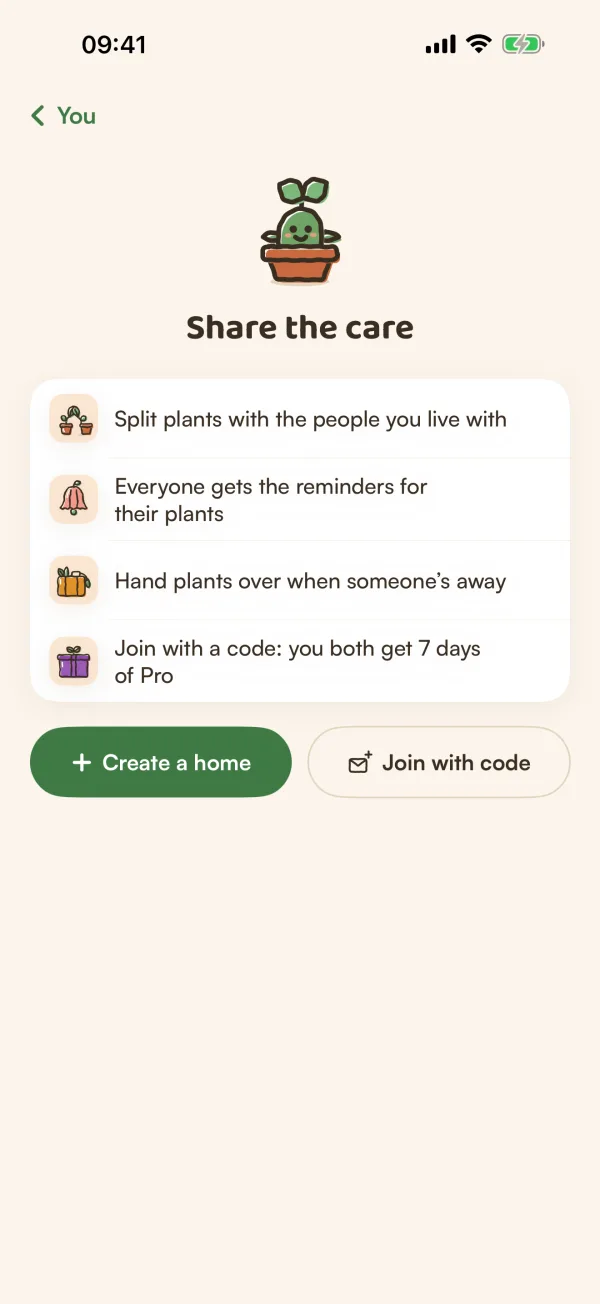
A home in Fern is a shared garden: the plants in it, the rooms they live in, and the people who look after them. Everyone in a home can log care, sees who did what, and gets reminders for the plants nobody has claimed yet.
You probably have one already
When you start using Fern, it puts your plants in a home called My home. You'll find it on You, under Households: the row reads "My home · just you".
If you want to share with the people you live with, you don't need a new home. Give My home a better name in home settings, then invite them.
Create a home
Where you start depends on how many homes you're in.
- No home yet. On You, under Households, tap Household (it shows Set up). You'll see Share the care. Tap Create a home.
- Two or more homes. Tap Your homes, then the green + at the top, then Create a home.
Then:
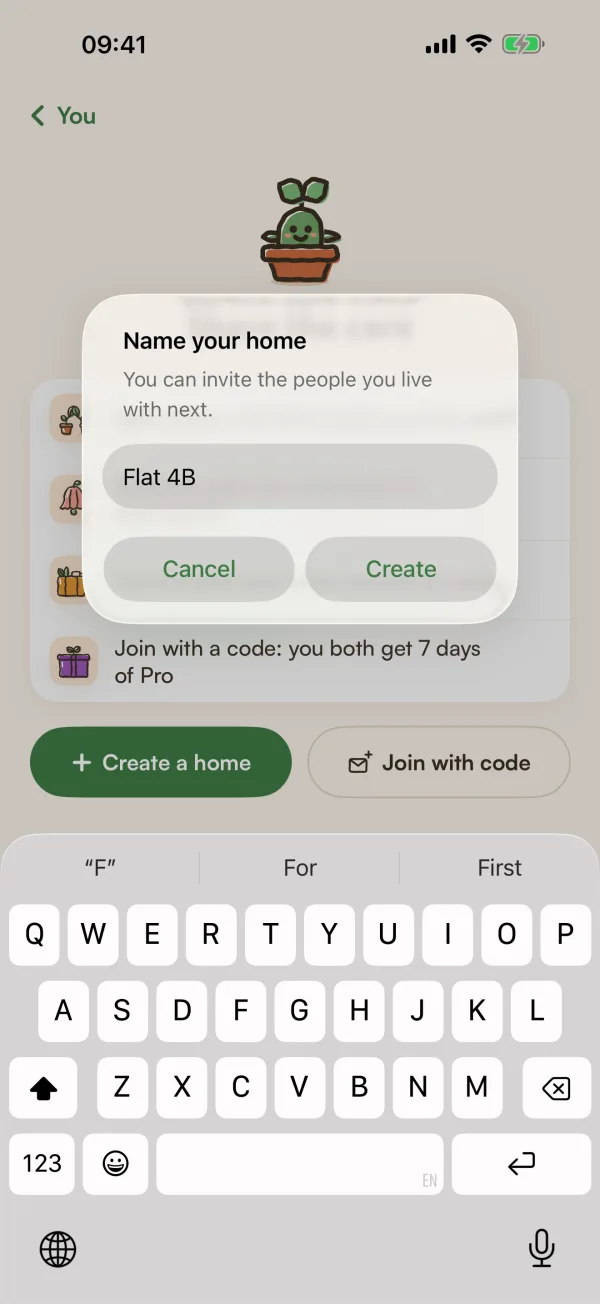
- Type a name under "Name your home", such as the name of your flat or street.
- Tap Create.
One home. Tapping Household, or Add or join a home, opens the home you have, and there's no Create a home on its page. Start the new home from a plant instead:
- Open any plant of yours and tap its home chip (it shows My home, for example).
- Tap New household, type a name and tap Create.
- Tap Move here if this plant should move in too, or swipe the sheet down to leave it where it is.
From then on you have two homes, and Your homes works as above.
Fern opens the new home's page when you create it from Share the care or Your homes. It's empty to start with: no plants, no places and just you. From there you can invite people, add places and move plants in.
Free and Fern Pro
New homes come with Fern Pro. On the free plan, Create a home shows a lock (in the + menu it reads Create a home · Fern Pro), and tapping it shows what Fern Pro adds.
What stays free:
- The home you already have, and every plant you look after in it.
- Joining someone else's home with their code.
- Caring for every plant in a home you belong to, places, and Away mode.
On the free plan, a home's page says so at the top: "You can care for every plant here. Inviting, handing off and new homes come with Fern Pro."
Tips
- One home per place where plants live works best. A flat you share and your parents' house can be two homes, each with its own people.
- A plant lives in one home at a time. Only the person who added a plant can move it to another home.
- Each home has its own location. Set it on the home's page, under This home, Location. See Set your location.
What if…
What if Fern says "New homes come with Fern Pro"?
Your plan changed while the screen was open, for example your free trial ended. Fern shows what Pro adds. You can still join a home with a code.
Can I be in more than one home?
Yes. With two or more, Your homes lists them all, one card each, and "Homes that need someone come first". A crown marks the homes you own.
Do my plants move into the new home?
No. Nothing moves on its own. Move plants in from each plant's page with Choose place, or several at once from My Plants. See Choose a place and a caretaker.