
Choose who can see a plant
Every plant starts private. Choose Just me, your household, your followers or everyone on Growers, see exactly what they'll see, and know what's never shared.
On this page
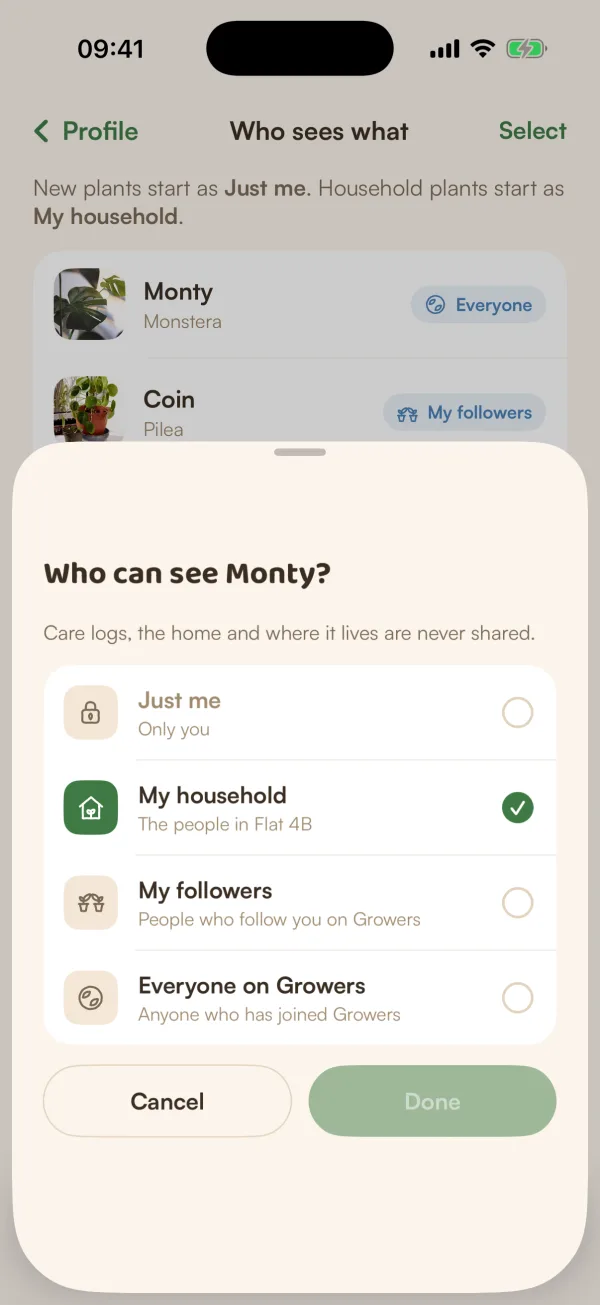
Your plants are private until you choose otherwise. Each plant has its own setting, so you can show off your Monstera to everyone and keep the rest to yourself. Whatever you choose, its care logs, your home and where it lives are never shared.
The four choices
| Choice | Who can see the plant |
|---|---|
| Just me | Only you |
| My household | The people in your home |
| My followers | People who follow you on Growers |
| Everyone on Growers | Anyone who opens Growers, joined or not |
My household only shows for a plant that lives in a home. A plant in a home can't be Just me: "Monty lives in Flat 4B, so the home always sees it. Take it out of the home first."
Change it for one plant
- Open the plant's page. Under its place, the row WHO CAN SEE MONTY shows the current choice. Tap Change. You can also open the plant's menu and tap Who can see it.
- Under Who can see Monty?, tap a choice.
- Tap Next (when you're sharing it more widely) or Done.
- When it's going beyond your home for the first time, Fern shows a preview first. Check it, then tap Share Monty.
Fern confirms with "Monty is now visible on Growers", or "Only you can see Monty now", with Undo in case you change your mind.
If the plant needs a check first, Fern says "Monty will show once it's been checked".
Exactly what others will see
Before a plant is shared with your followers or everyone, Fern shows EXACTLY WHAT OTHERS WILL SEE: the card people will find, with its photo, name, species, how long you've had it and its mood.
| SHOWN | NEVER SHOWN |
|---|---|
| Photo and growth timeline | Care logs and schedule |
| Species, and how long you've had it | Your home's name and members |
| Its mood | Your address or where it sits |
| Notes you mark as shared | Notes you keep private |
If the plant lives in a home, the preview also says who there will notice.
Change several at once
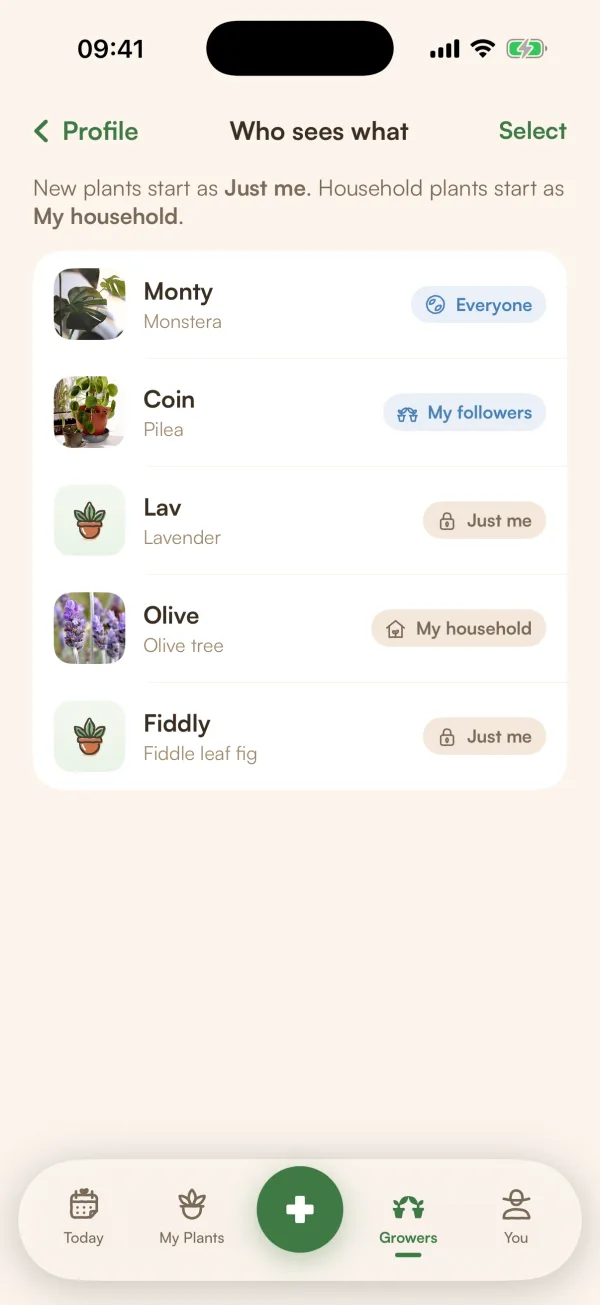
- On Growers, tap your photo to open your profile, then the gear, then Who sees what. (On your profile, Manage next to Shared plants opens the same list.)
- Each plant shows its current choice, such as Just me or Everyone. Tap one to change it.
- To change several, tap Select, tick the plants, then tap Change who sees.
Several plants at once skip the preview. Fern says how many changed. The list only has plants you added: only the person who added a plant can change who sees it.
Where new plants start
At the top of Who sees what, Fern reminds you: "New plants start as Just me. Household plants start as My household."
To change it, go to Growers settings and tap New plants start as: Just me, My followers or Everyone on Growers. Starting new plants as followers or everyone needs Fern Pro.
In a shared home
The person who added a plant decides who sees it. Everyone else in the home sees "Set by Ava" instead of Change. Once it's shared, they see what that means for them: "Its photos, timeline and shared notes are public. Your name, the home and its care logs stay private."
What if…
What if it says the name or photo doesn't fit the rules?
Shared plants are checked like posts. If the name or photo doesn't pass, the plant stays private. Try another photo or name.
Does sharing a plant post it to my followers?
It doesn't write a post for you. People who follow you see "shared a new plant" in their Following feed, and the plant appears under Shared plants on your profile.