
Ask other growers a question
Ask Growers for a second opinion on one of your plants, and attach its care so helpers can see how it's been watered and kept. Then mark the answer that helped.
On this page
When a plant puzzles you, other people who grow it have often seen the same thing. A question on Growers reaches them. If it's about one of your plants, you can attach its care, so the people answering can see what actually happened instead of guessing.
Where to ask from
- Tap +, then Ask a question.
- On a plant's page, under the Care tab, find Questions about its species and tap Ask about your plant. Fern picks the plant for you.
- On a species page in Growers, tap Ask about the species.
- After a health check, tap Ask other growers. The photo and what Fern found come along.
Ask
- Make sure Question is chosen. Choose photos, tap Write without a photo, or, under "Or start from one of your plants", tap the plant it's about. Starting from a plant is what lets you attach its care.
- Describe each photo, then tap Next.
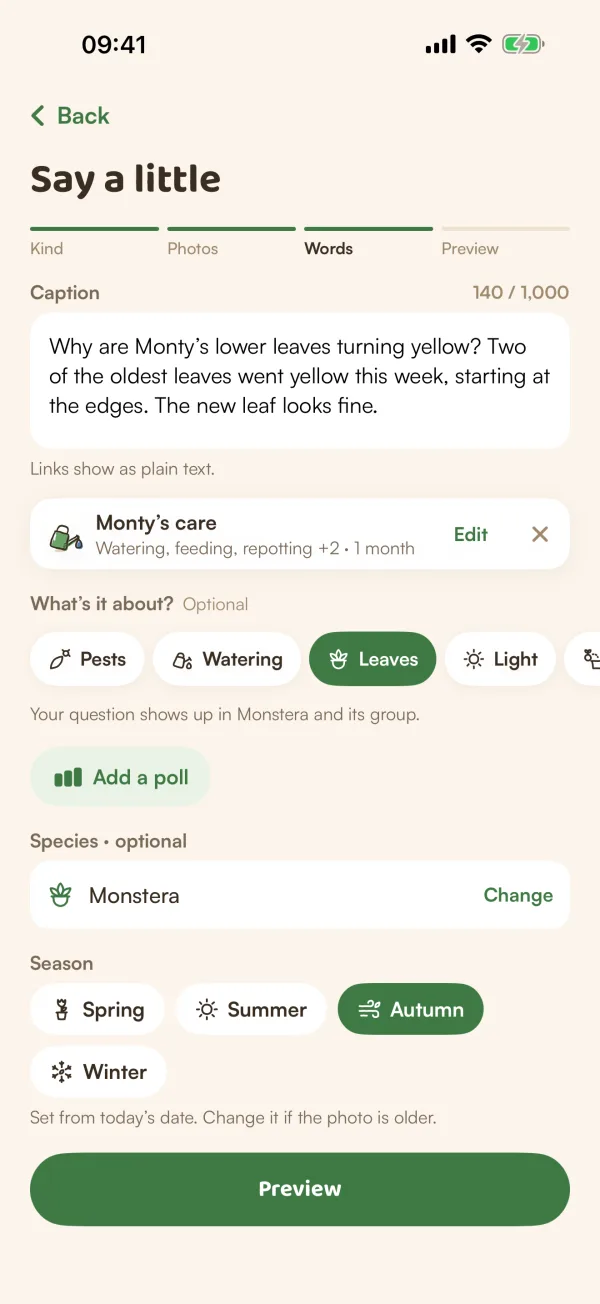
- On Say a little, write what's happening, and what you've tried.
- Add the plant's care if you like (see below).
- Under What's it about? Optional, tap a topic: Pests, Watering, Leaves, Light, Repotting or Propagation.
- Check the species and season, then tap Preview.
- Tap Publish.
With a species chosen, Fern says where your question goes: "Your question shows up in Monstera and its group." Other Monstera growers find it there and on their own Monstera's page.
A question can carry a poll ("Add a poll"), but not a quiz.
Attach your plant's care
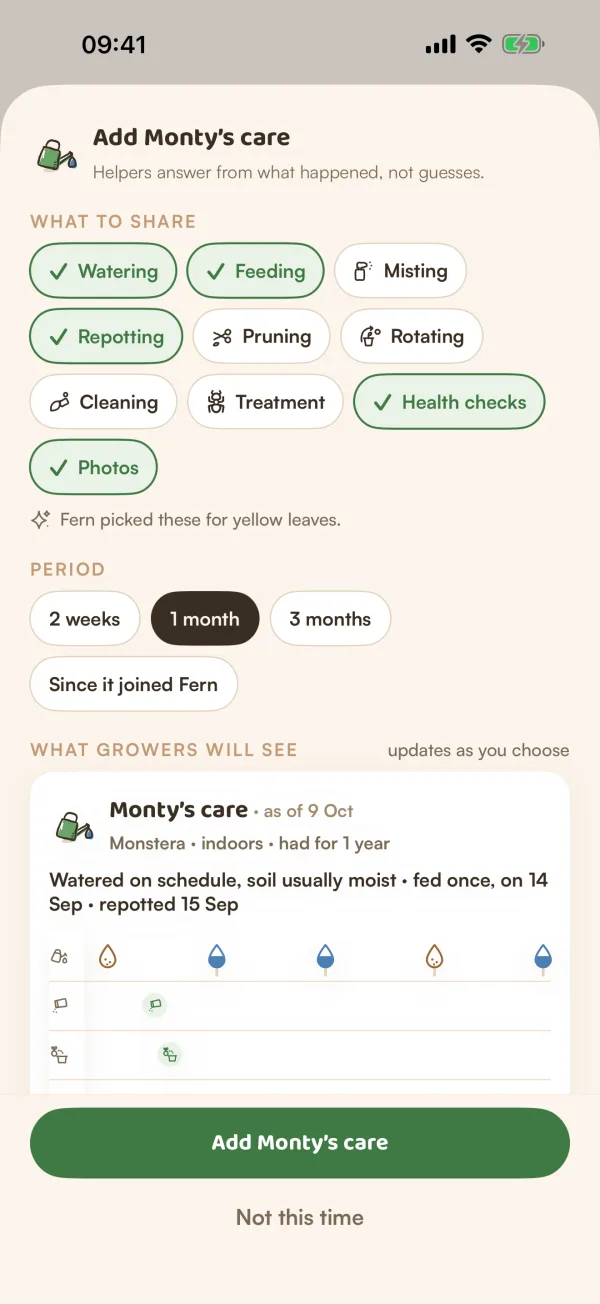
When the question is about one of your plants, Fern offers "Add Monty's care?": "Growers answer faster when they can see how Monty is watered and kept."
- Tap Add it, or See what they'd see to look first.
- Under What to share, tap the kinds of care to include: Watering, Feeding, Misting, Repotting, Pruning, Rotating, Cleaning, Treatment, Health checks and Photos. Fern ticks the ones that matter for your question to start with, such as "Fern picked these for yellow leaves."
- Choose a Period: 2 weeks, 1 month, 3 months or Since it joined Fern.
- Check What growers will see. It updates as you choose.
- Tap Add Monty's care, or Not this time.
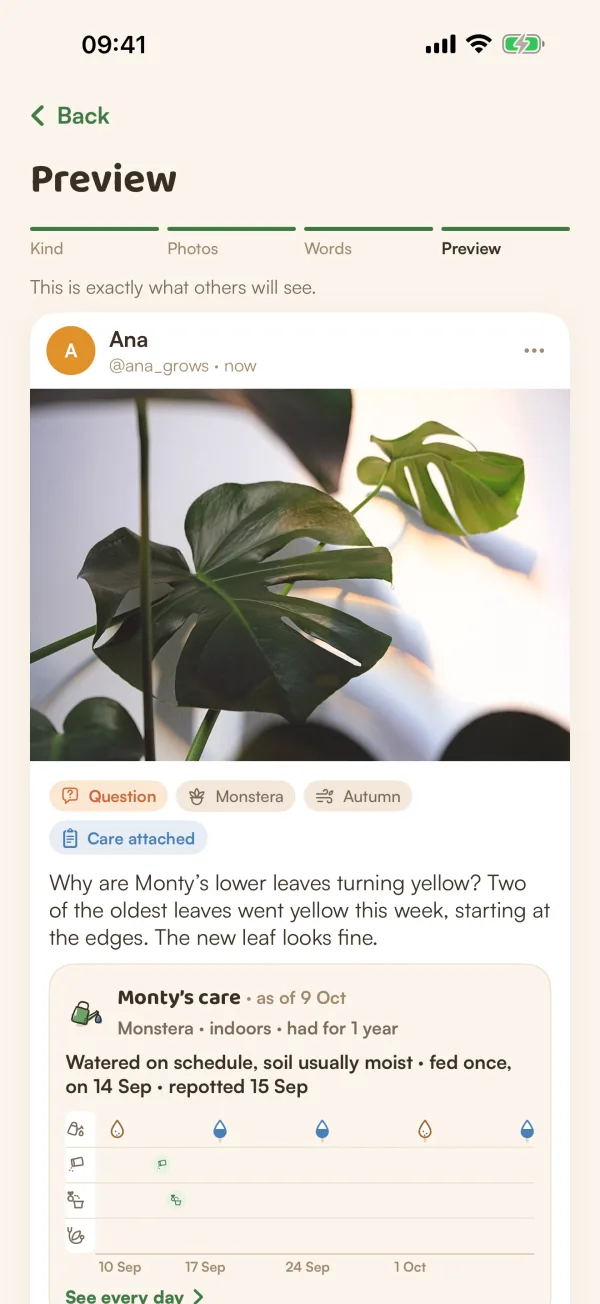
The care you add is fixed as of today and attached to this question only. Delete the question and the care goes with it. These never go with it:
| Never shared |
|---|
| Your name and email |
| Your home and rooms |
| Who you live with |
| Who watered when |
| Where you live |
| Your notes |
In the draft, the care shows as a small card with Edit and ✕. After publishing, tap ••• on your question, then Edit caption, species & season, to Refresh the care as of today or Take it off.
Pick the answer that helped
When answers come in, your question says "Did one answer help? Mark it as Helpful — you can pick one, and change it later."
- Tap Mark as helpful under the answer.
- The answer turns green with "Helpful · picked by" your handle and moves to the top. Your question shows Has a helpful answer.
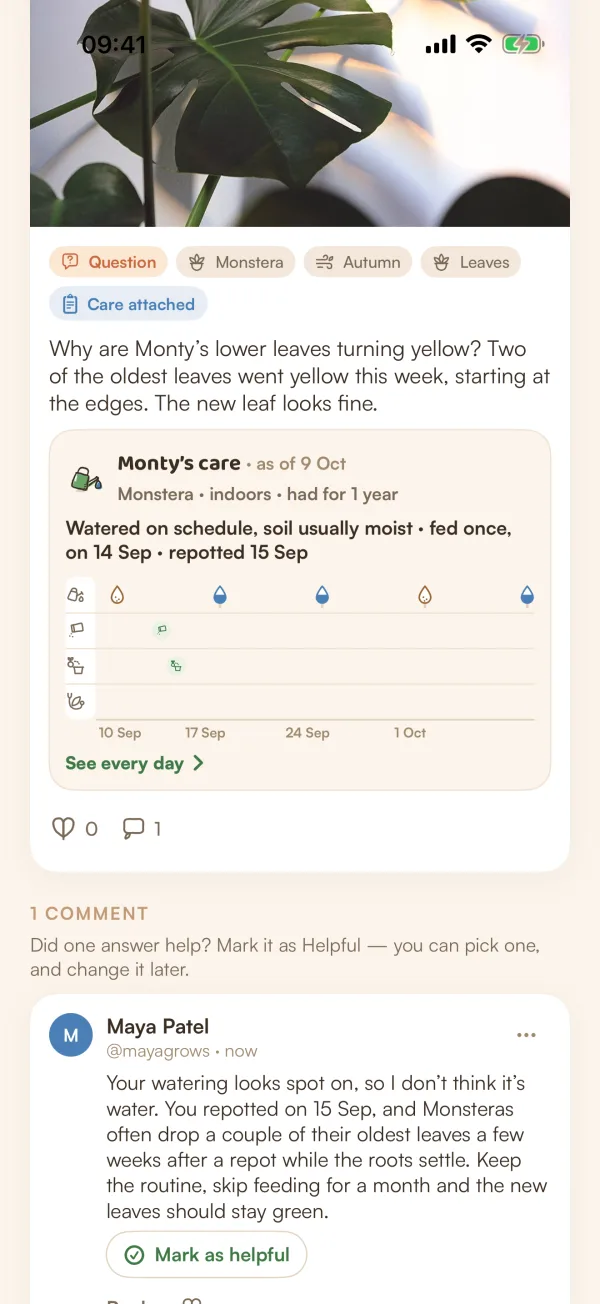
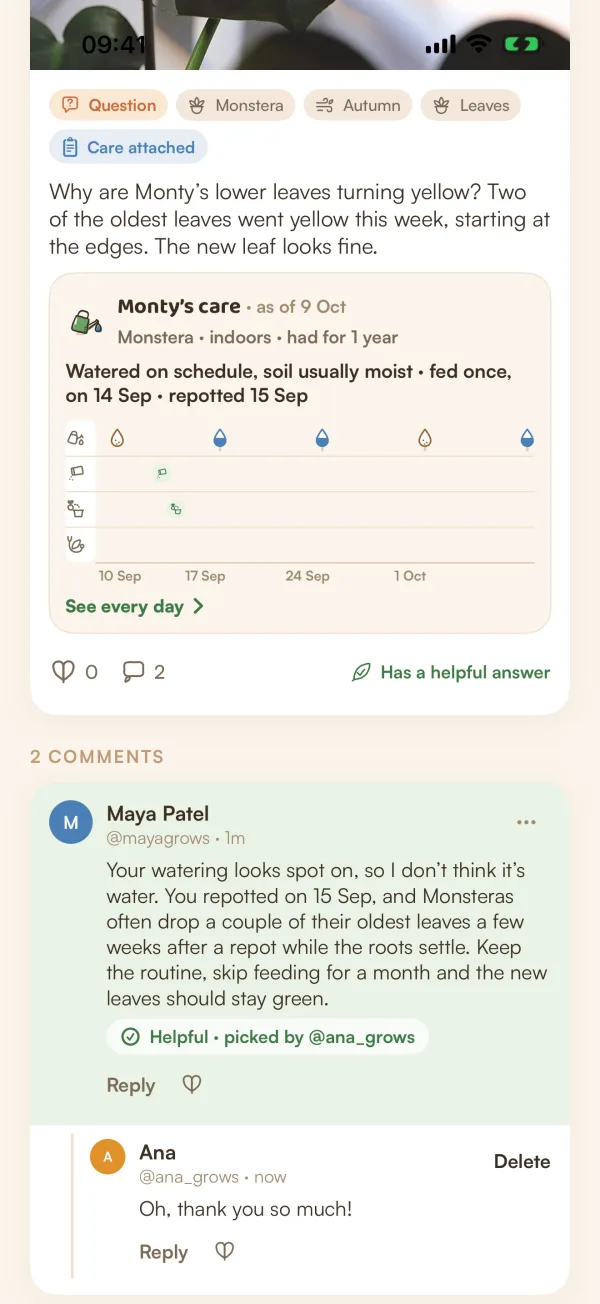
There's no confirmation. To change your mind, mark a different answer.
Tips
- Say what you've already tried and how the plant is kept. It saves a round of questions.
- A clear photo of the problem, and one of the whole plant, help the most.
- To read what others asked before you, open Questions about your plant's species on its page.
What if…
What if no one has answered yet?
The question stays on Growers, and people who grow that plant may be asked if they can help. You'll hear about answers in Activity, and as a notification if you've left them on.
Can I ask about a plant I don't have in Fern?
Yes. Pick photos or write without one, and set the species by hand. Only a question about one of your plants can carry care.