
Today at a glance
Today is the first thing you see in Fern. It shows what your plants need from you today, sorted so the plants that need you most come first.
On this page
Open Fern and you land on Today. It answers three questions: what needs you, why, and what the safest next step is. Everything else on the screen is there to help with those three.
From top to bottom
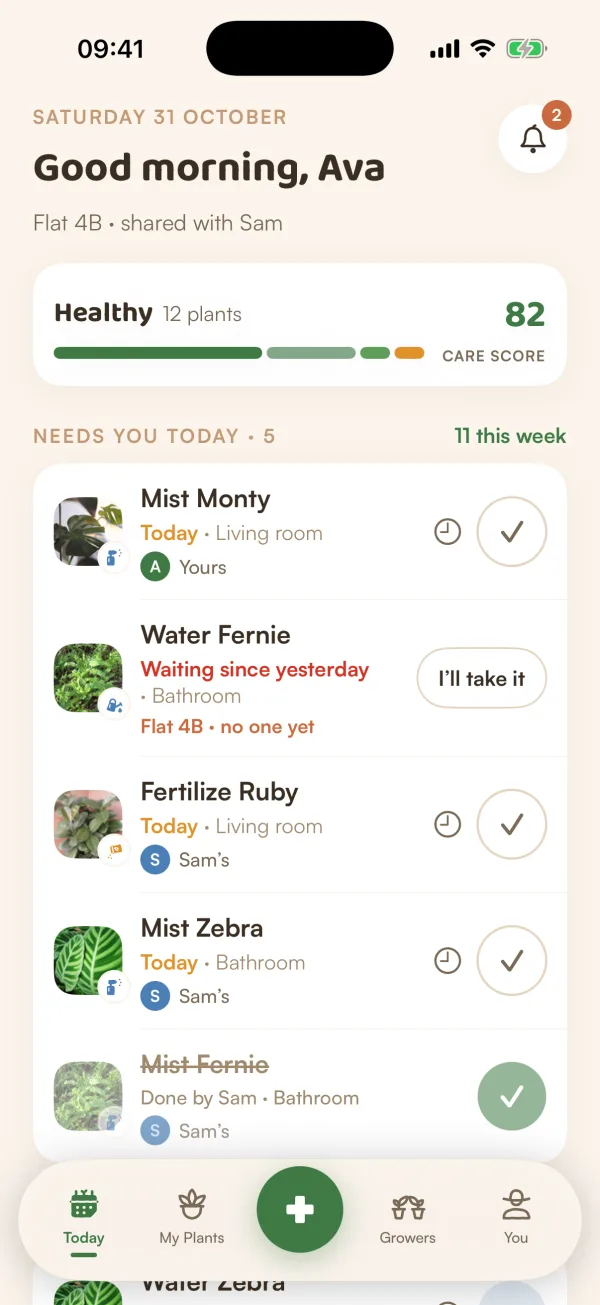
The greeting. The date, then "Good morning", "Good afternoon" or "Good evening" with your first name. If you share a home, the line under it says who with: "Flat 4B · shared with Sam".
The bell. Top right. It opens your Inbox, "Gentle nudges from your garden": the notes Fern leaves you, today's and earlier ones. A red number says how many you haven't read.
Your garden's health. A card with a word for how your plants are doing (Thriving, Healthy, Needs a little love), a coloured bar of their moods, and your care score. See Your care score.
Needs you today. The heart of the screen: what's due today and anything still waiting from earlier, most urgent first. On the right, "11 this week" counts what's due today, what's waiting, and everything due in the next seven days. To do something on the list, see Check off care.
Coming up and Recently. Lower down, a strip of the next seven days (with how much is due each day), and the last few things done, like "You watered Olive · yesterday".
What a row tells you
Each row is one thing to do for one plant.
- The title is the job and the plant: "Water Monty", "Fertilize Ruby", "Mist Zebra". When a plant needs water and food on the same day, they share one row: "Water + feed Monty".
- The line under it says when. "Today", or, when it's been waiting, "Waiting since yesterday", "Waiting since Monday" or "Waiting 9 days". Then the room.
- An Urgent tag appears when a plant really can't wait: it's thirsty or wilting, or its care has waited many days. Apart from a sick plant's recovery check, only something that has waited at least a day gets it.
- In a shared home, a last line says whose it is: "Yours", "Sam's", "Covering for Sam", or "Flat 4B · no one yet".
Tap anywhere on a row to open the plant.
The bar at the bottom
Five places, the same everywhere in Fern:
| Today | What needs you now. |
| My Plants | Every plant, with its page and care settings. |
| + | Add a plant, scan one, or share with Growers. |
| Growers | Fern's community. |
| You | Your profile, your homes, notifications and Fern Pro. |
Other days look different
Today changes with your day, so it never shows you an empty list for no reason.
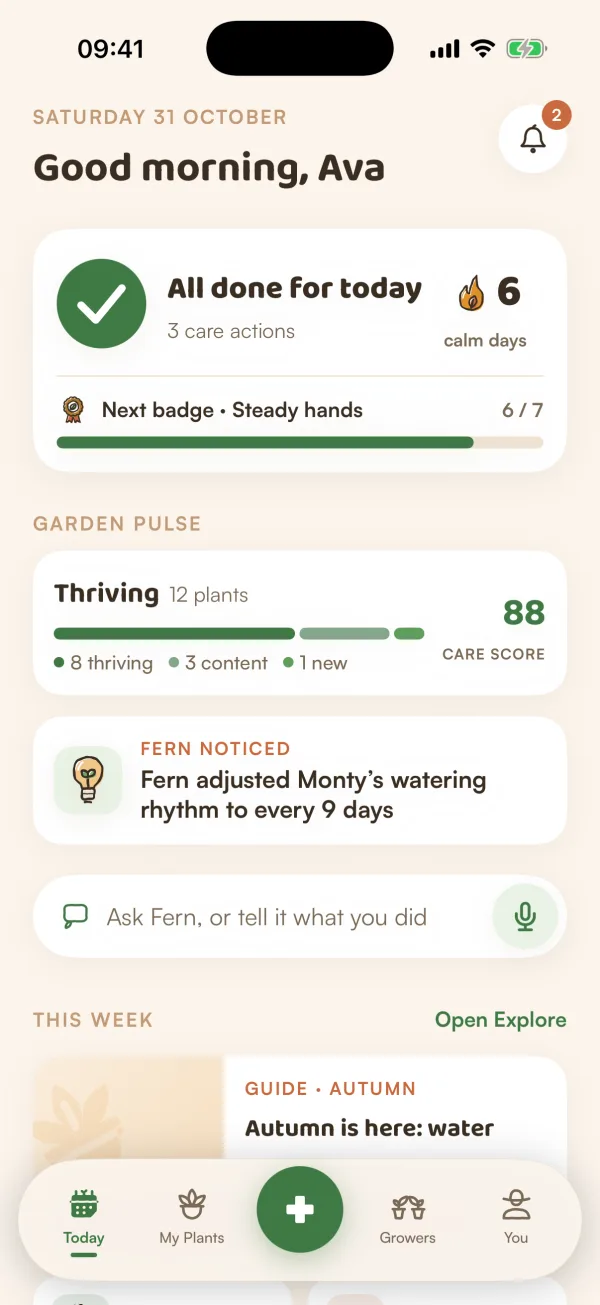
- All done for today once you've done everything. See All done, calm days and badges.
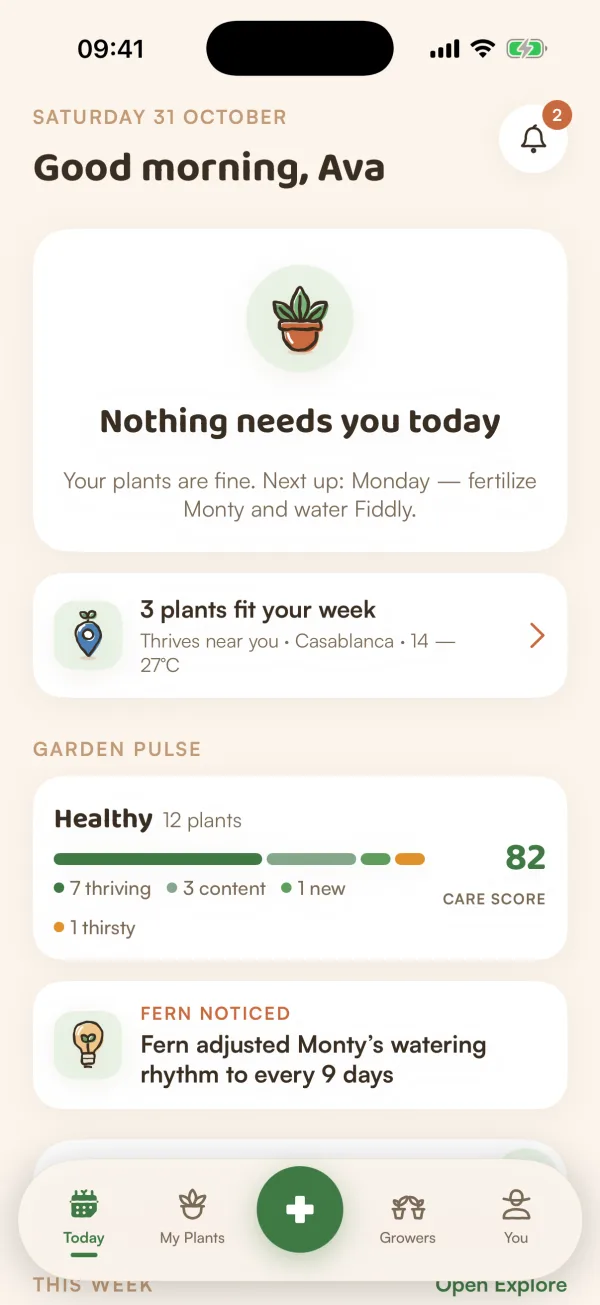
- Nothing needs you today when nothing is due, with what's next: "Next up: Monday — fertilize Monty and water Fiddly."
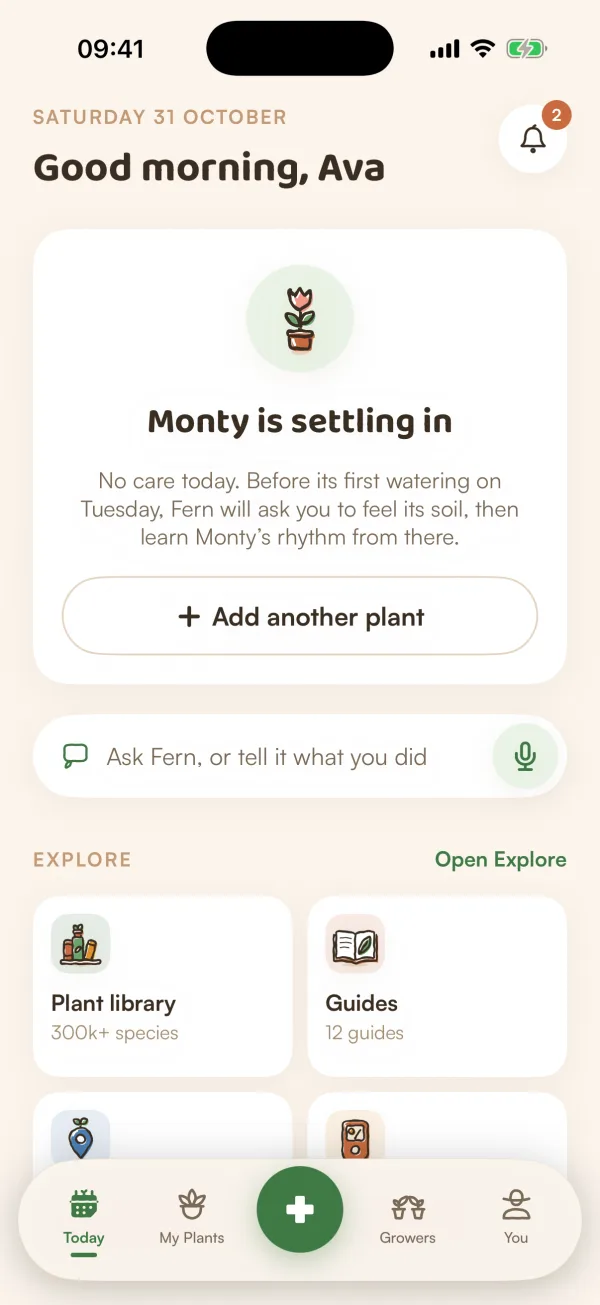
- {Name} is settling in with your first plant. Fern explains that it will ask you to feel the soil before the first watering.
- Let's add your first plant before you have any, with Scan a plant and Search by name.
- "23 things are waiting" when a lot has piled up ("23 things waited while you were away" just after a trip). See Catch up when things pile up.
- Away until Tue 20 Oct when you've told Fern you're away. Care is paused, and nothing counts as late while you're gone.
Pull to refresh
Today catches up by itself when you come back to Fern. To see the latest at any moment, for example after someone in your home has watered, pull the screen down to refresh.
What if…
What if Today says "Can't reach Fern"?
Your phone is offline, or Fern's servers are. If Fern has a saved copy, Today shows it with a banner, "You're offline — showing what was saved", and a Retry button. Care you check off while offline is kept and sent when you're back.
What if I don't see the greeting with my name?
Fern only knows your name if you've added it. Today may ask "What should Fern call you?": tap Add name, type your first name and tap Save.