
Write a note on a plant
A note is a short update on one of your plants. It shows on Growers and on the plant's page, for the people who can already see that plant.
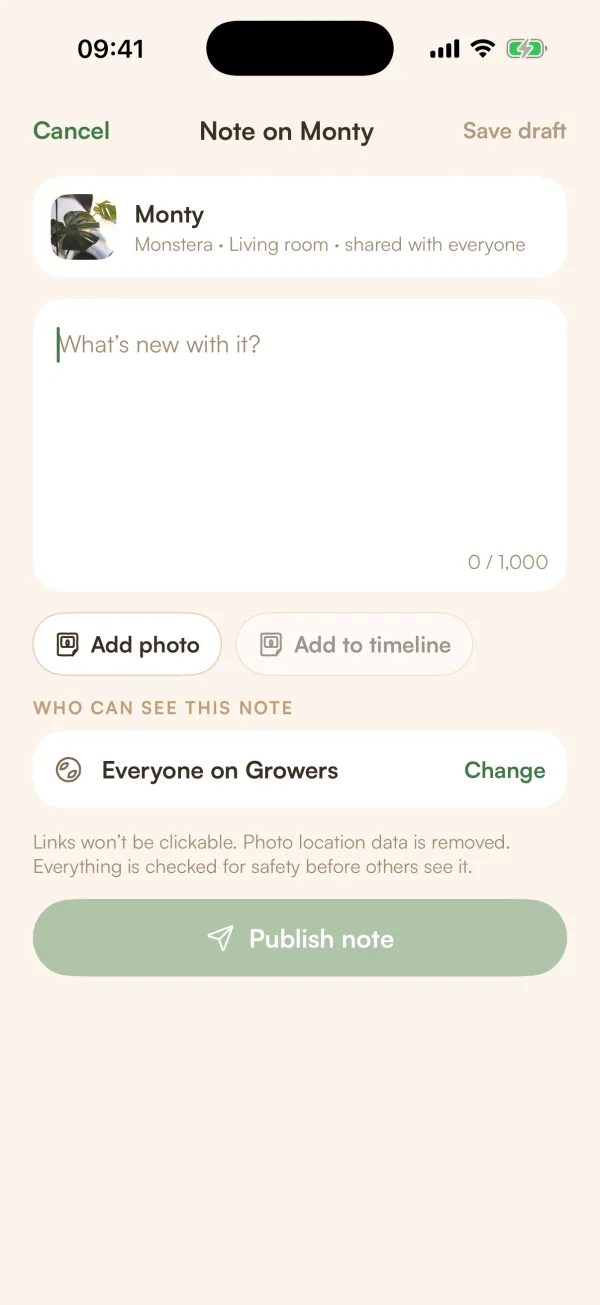
A note is a short update on one of your plants: it's finally putting out a new leaf, you moved it to a brighter window, it survived the winter. Unlike a post, a note belongs to the plant. It also appears on that plant's page, for whoever can see the plant.
Write a note
- Tap +, then Note on a plant.
- Under WHICH PLANT IS IT ABOUT?, tap the plant. Your plants are grouped by the home they live in. To find one fast, type in Search by name, species or room.
- Write your note where it says "What's new with it?", up to 1,000 characters.
- Tap Add photo to add up to 4 photos. Tap Add to timeline if you'd like the first photo on the plant's timeline too: "Its first photo also goes on the plant's timeline".
- Check WHO CAN SEE THIS NOTE. Tap Change to switch between Your followers and Everyone on Growers.
- Tap Publish note.
Fern says "Note published", or "Your note is being checked" while it goes through the safety check that everything public gets first.
You can also start from your Growers profile: when you haven't shared anything yet, it has a Write a note button.
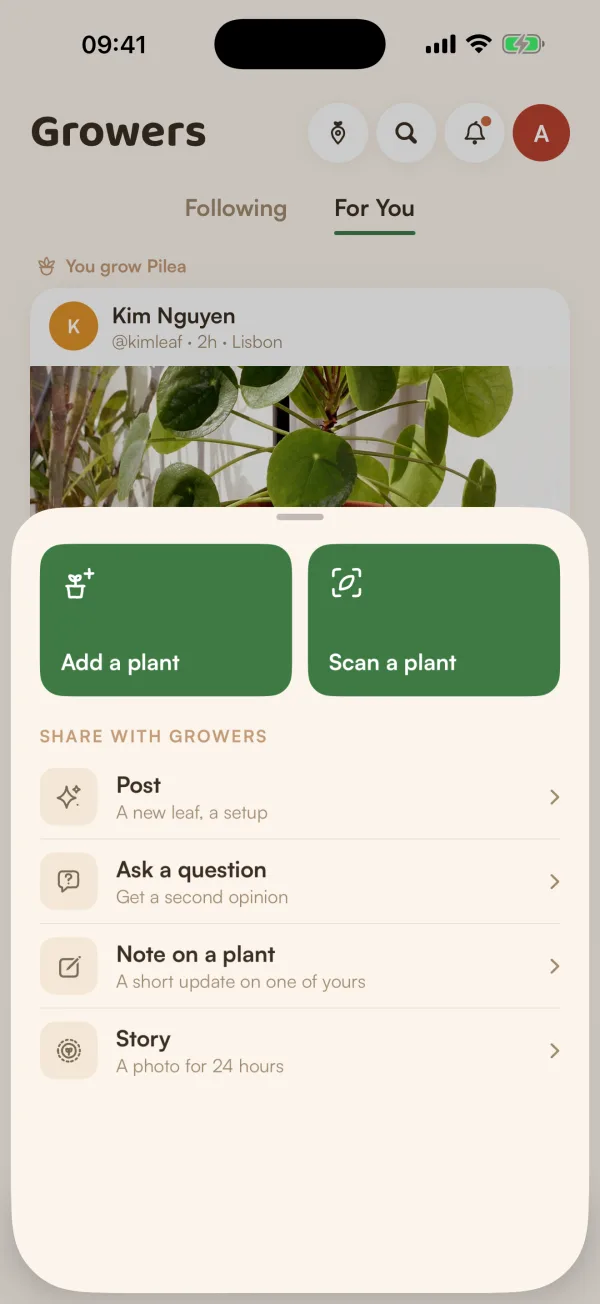
Who sees a note
A note goes to the people who can see its plant, and never further:
| The plant is shared with | The note can go to |
|---|---|
| Everyone on Growers | Your followers or Everyone on Growers |
| Your followers | Your followers only. Everyone shows as "Everyone — share Monty with everyone first". |
| Just you, or your home | Nobody yet: share the plant first (below) |
"Where it lives is only shown to you." When you pick the plant, its home and room help you tell your plants apart. Nobody else sees them.
When the plant is private
If only you, or only your home, can see the plant, Fern says so: "Only you can see Monty", or "Only your home can see Monty".
"A note goes to the people who can see its plant. Share Monty first — only its photo, name, species, how long you've had it and its mood. Never its care logs or where it lives."
Tap With followers or With everyone to share the plant and carry on with your note. You can change it again later. See Choose who can see a plant.
If the plant needs checking before it can be shared, Fern says "Monty is being checked first — your note shows once it's live."
Good to know
- "Links won't be clickable. Photo location data is removed. Everything is checked for safety before others see it."
- People who follow you see your note in Following as "wrote a note".
- Notes you mark as shared show on the plant's page on Growers, under Notes. Notes you keep private on the plant never do.
What if…
What if I can't pick a plant?
With no plants yet, Fern says "Add a plant first, then write about it." If your search finds nothing, clear it to see the whole list.
Can I write a note about a housemate's plant?
You can only share a plant you added yourself. If you try with someone else's, Fern says "Only the person who added this plant can share it."
What if it says "That's a lot of posting for now"?
There's a limit on how much you can post in a short time. Fern keeps your note as a draft: "Your draft is saved. You can publish it later."