
When your free trial ends
When the trial ends, nothing is deleted. Fern keeps looking after one plant for free, the first you added, and you can choose a different one once. The others rest.
On this page
When your 14 days of Fern Pro are up, you move to the free plan on your own. There's nothing to cancel and nothing is deleted: your plants, their history and your badges all stay. Fern keeps looking after one plant, with its watering, reminders and soil checks. If you have more, the others rest until you go Pro.
What you'll see
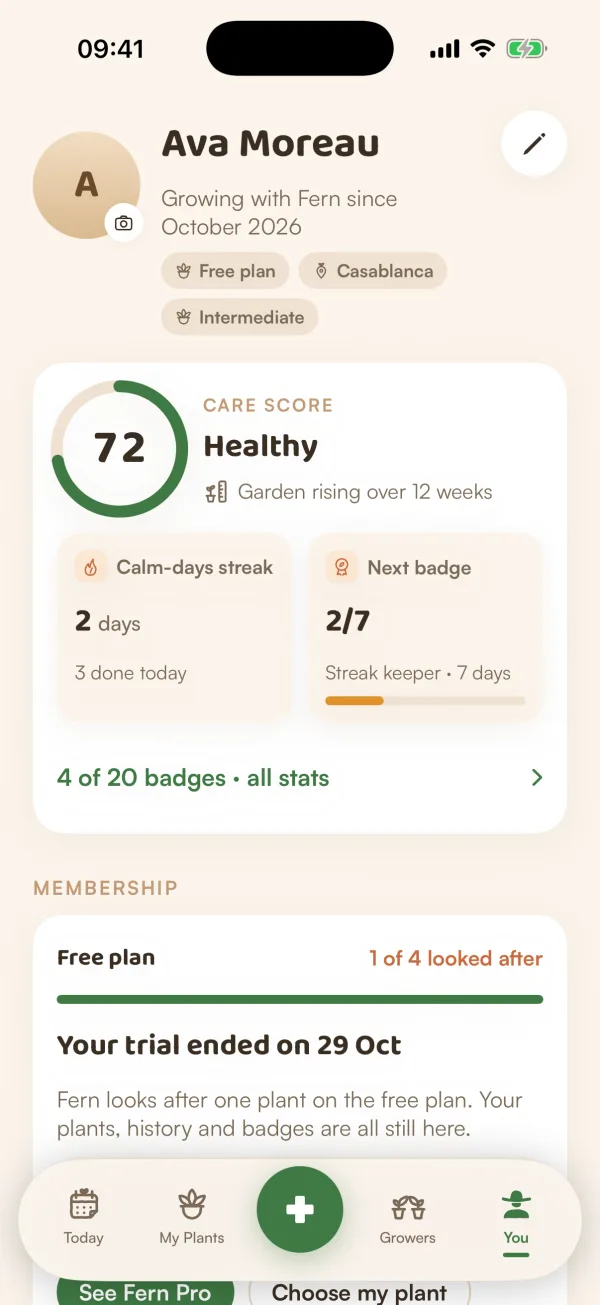
The next time you open Fern, a screen says "Your free trial has ended". When there's something to show from your trial, its title is "Your week with Fern", with a few numbers such as care done and reminders sent. What it offers depends on your garden:
- With more than one plant: "Choose the plant Fern looks after". Fern is looking after the first plant you added, and you can choose a different one once. Tap Choose my plant, Keep them all with Fern Pro, or Later.
- With one plant: "Your plants are still in good hands". Tap See Fern Pro plans (or Keep Fern Pro), or Continue with the free plan.
You'll also see the free plan around the app:
- Today: "You have 4 plants on the free plan", with "Fern looks after one — Monty for now. You can choose a different one once, or go Pro for all." and Choose my plant.
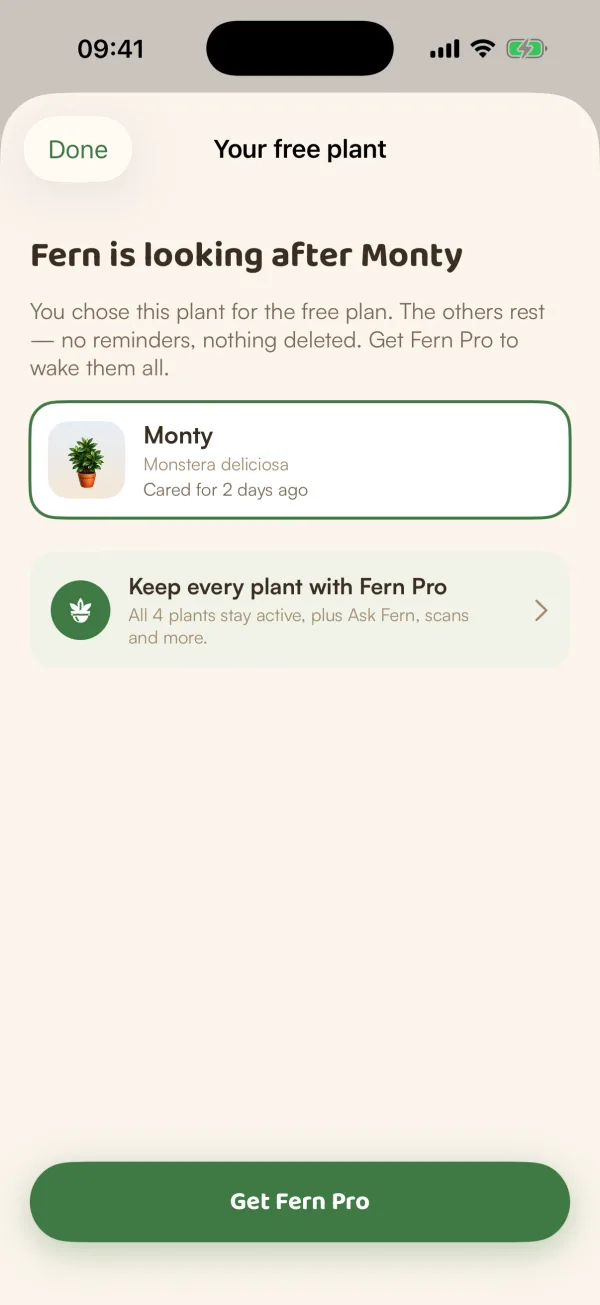
- My Plants: a card, "Fern is looking after Monty for now", with Choose my plant and Keep them all · Pro. Resting plants say "Resting · no reminders".
- You: "Your trial ended on 12 Nov", with how many plants are looked after, such as "1 of 4 looked after".
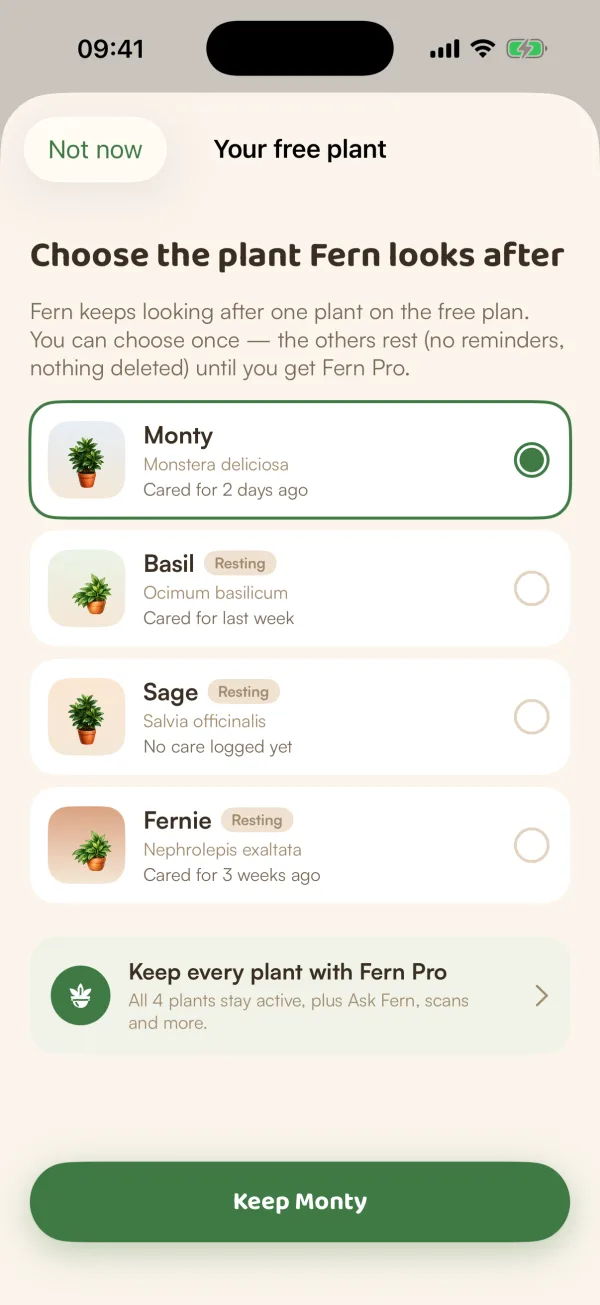
Choose the plant Fern looks after
- Tap Choose my plant on Today, My Plants, You, or the trial-ended screen.
- Under "Choose the plant Fern looks after", tap the plant you want. Each row says when it was last cared for.
- Tap Keep Monty.
- Fern asks "Keep Monty?": "You can't change this later. The others rest until you get Fern Pro." Tap Keep Monty again.
You can also do it from a resting plant's page: tap Keep this one instead.
After you choose, the My Plants card says how many plants are resting, with Wake them all · Pro.
What resting means
| The plant Fern keeps | Resting plants | |
|---|---|---|
| Care tasks and reminders | Yes | None |
| Logging new care | Yes | No |
| History, photos and notes | Kept | Kept |
| Its page | As usual | "Fern isn't reminding you about Basil right now" |
On a resting plant's page, the button says Keep this one instead while you can still choose, and Wake it with Fern Pro after.
Free and Fern Pro
On the free plan, Pro features show a PRO lock: Ask Fern, scanning, health checks, custom care, the photo journal, sharing a home and more. Care history shows the last 14 days. See What's free and what's in Fern Pro.
Subscribe and every plant wakes up at once, its schedule picking up from its last care. If Pro ends later, the plant you chose is the one Fern keeps again.
Tips
- If you don't choose, Fern keeps the first plant you added. Choose only if you'd rather it looked after a different one.
- Choose with care: the choice is final. Only deleting the kept plant opens the choice again, and that deletes its history too.
What if…
What if I chose the wrong plant?
The choice can't be changed. To have Fern look after the others again, go Pro: see Subscribe to Fern Pro.
Can I get more Pro without paying?
Sometimes. If you have a home and someone new to Fern joins it with your code or an invite, you both get 7 more days, and resting plants wake straight away. See Your free trial.
Can I still add plants?
On the free plan, Add a plant is locked once you have one. Plants that come to you another way, such as a gift, cuttings you pot up or an import, join your garden and rest.
Will Fern warn me before the trial ends?
Yes. About three days before, Fern sends "Your Fern trial is ending soon 🌱", unless you've already subscribed.